Tag: home office setup

  • 8 Home Office Ideas for Small Rooms: A Practical Guide

    8 Home Office Ideas for Small Rooms: A Practical Guide

    Carving out a workspace in a small room usually starts the same way. You stand in the doorway, look at the bed, the dresser, the window, the closet, and one open wall, then ask the obvious question: where does the desk even go?

    That question became a lot more common after remote work moved into everyday life. Before the pandemic, only 20% of workers operated from home, but by December 2020 that climbed to 71% according to Pew Research Center data summarized here. Once people started working from home full time, the problem wasn't just internet speed or Zoom backgrounds. It was physical space.

    Most homes weren't built with a dedicated office in mind, so many people ended up working from a bedroom corner, living room wall, or borrowed nook. That's why the best home office ideas for small rooms usually aren't about chasing a perfect Pinterest setup. They're about solving a real layout problem with furniture that fits, stores what you need, and doesn't make the room feel overwhelmed.

    A good plan starts with honest measurements and realistic habits. Do you spread out papers, use two monitors, take video calls, or need to pack everything away when your work is done? Those answers matter more than trends. If you're comparing options, it also helps to look at examples of good desks for small spaces so you can see how different footprints change the room.

    At Woodstock Furniture & Mattress Outlet, we help customers work through these questions every day. The common thread is simple: measure twice, buy once.

    1. Compact Desk with Built-in Storage

    If your problem is clutter, a compact desk with built-in storage is usually the cleanest fix.

    A small room rarely has space for a desk, filing cabinet, and bookshelf as separate pieces. A desk with shelves, drawers, or cubbies combines those jobs into one footprint. That's what makes it practical in a spare bedroom, apartment nook, or kid's room that now has to handle work hours too.

    The biggest mistake people make is buying a small desk with no storage, then solving the overflow with baskets and side carts that eat up the walkway.

    Why this setup works

    A desk like the IKEA BEKANT shelving combination, West Elm's Mid-Century Workspace desk, or a shelf-equipped computer desk from Wayfair gives you a surface and a vertical landing zone in one piece. That means pens, chargers, paper, and notebooks have a home before they hit the floor.

    Built-in storage also helps visually. Instead of three unrelated pieces fighting for space, you get one unit that reads as intentional.

    Practical rule: In a small room, every extra furniture piece needs a strong reason to exist.

    A few buying notes matter here:

    • Measure width and depth: A desk can fit on paper and still feel oversized if the chair blocks a path or a drawer can't open fully.
    • Check shelf placement: Adjustable shelves are more forgiving than fixed ones if your storage needs change.
    • Choose a lighter finish: Pale wood, white, or soft neutrals usually feel less heavy in a tight room than dark, bulky case goods.

    What doesn't work as well

    Tall hutches can be useful, but some of them feel top-heavy in a small bedroom. If the upper section is too dense, the room starts to feel like a cubicle. Open cubbies also look tidy in a showroom and messy in real life unless you're disciplined about bins and folders.

    The better version is a compact desk where the storage supports the work surface instead of dominating it. Pair it with an ergonomic chair that slides in neatly, and the room stays livable after hours.

    2. Wall-Mounted Floating Desk

    A floating desk earns its keep in rooms where the chair, not the desktop, is what keeps catching your leg on the way by. If you're trying to fit a work zone into a bedroom wall, a hallway end, or a leftover niche near a closet, removing the desk legs often solves the spatial challenge.

    A minimalist sketch of a wall-mounted desk, chair, and shelf with a plant inside a small room.

    This is a strong option for what I think of as the pass-through office. The room still has another job, and you need the floor to stay open. A wall-mounted surface keeps the setup lighter visually and makes vacuuming, basket storage, or a tucked-in stool much easier.

    The catch is simple. Floating desks punish bad planning faster than freestanding ones do.

    Best for the narrow-wall problem

    Use this setup when you have one usable wall but not much depth in front of it. It works especially well in spots where a standard desk would make the room feel pinched, such as a short landing, the side of a guest room, or an alcove that is too shallow for drawer units.

    Measure twice, buy once applies here more than almost anywhere else in the article. Start with wall width, then check how far the chair needs to pull back, where the outlet sits, and whether baseboards will interfere with the bracket or support cleat. If you use a Room Planner, map the chair in the pulled-out position, not just tucked in. That is where small-room mistakes usually show up.

    Installation matters more than style

    A good product photo won't tell you whether your wall can support the setup you want. Stud spacing, wall material, desktop thickness, and the weight of a monitor arm all affect what you can mount safely.

    I've seen homeowners buy a clean, slim floating desk for a tight bedroom corner, then learn the hard way that the nearest stud is off-center and the power outlet lands in the worst possible spot. That kind of problem is boring to plan for, but expensive to fix after delivery.

    A few checks make the difference:

    • Choose enough depth for real work: Too shallow, and your keyboard, notebook, and screen fight for the same few inches.
    • Confirm mounting conditions first: Drywall alone is not the same as solid backing or properly placed studs.
    • Limit upper storage: One shelf can be useful. A stack of shelves over your head often makes a small wall feel crowded.
    • Plan cord management early: If the desk is meant to look light, visible cable loops will undercut the whole effect.

    A floating desk usually looks best when part of the wall stays empty.

    The trade-off

    You give up flexibility. Once the desk is mounted, changing the layout is harder, and built-in storage is usually limited unless you add cabinetry nearby.

    That trade-off is often worth it for a living room work corner or a bedroom office that needs to disappear visually after hours. If you need drawers, heavy equipment, or a setup you might move in six months, a standard compact desk is usually the safer buy.

    3. Corner Desk Solution

    A corner desk solves a specific small-room problem. You need more usable surface than a tiny straight desk gives you, but you cannot afford to give up the middle of the room.

    In practice, this works well in rooms with one awkward corner left after the bed, closet, or sofa takes the obvious wall space. A good corner setup turns that leftover area into a defined work zone, with one side for the computer and the other for paper, a printer, or daily carry items that would otherwise spread across the room.

    Best for rooms with odd layouts

    I usually suggest a corner desk when a room has competing features such as a window on one wall, a door swing on another, and only one stretch of uninterrupted space. Using two walls at once often makes the office feel planned instead of squeezed in.

    It also fits the way smaller workspaces are being planned now. The goal is not to force everything onto one wall. The goal is to use the perimeter of the room more efficiently and keep the center open enough to move comfortably.

    You can do that with an L-shaped desk, a compact corner unit, or a custom built-in if the room has unusual dimensions. Flat-pack options are easier on the budget. Custom pieces fit tricky corners better and usually waste less space.

    What to check before buying

    The measure twice, buy once approach is most critical. Corners look simple until real room conditions get involved.

    • Measure both walls, not just the corner area: Baseboards, window casing, and trim can stop the desk short of the wall.
    • Check the inside corner depth: Some L-desks need more clearance than the product photo suggests.
    • Plan for chair movement: You need enough space to pull back, turn, and stand up without bumping a bed, dresser, or radiator.
    • Map outlets before you order: A desk return placed over the only power source creates an avoidable setup problem.
    • Decide what lives on each side: The return should support the way you work, not become overflow storage.

    A room planner helps here because it shows the full footprint, not just the desktop size. I have seen buyers choose a corner desk that technically fit the wall measurements, then realize the chair path blocked a closet door or clipped the edge of a nightstand. Those are easy mistakes to prevent on paper and annoying ones to fix after delivery.

    Corner desks are especially useful for setups that need more than a laptop. If you use a second monitor, keep paperwork nearby, or need space for a desktop tower, the wraparound surface gives each task a home.

    Worth remembering: Extra surface helps only if each zone has a job.

    The trade-off is visual weight. Some L-shaped desks can make a bedroom or living area feel more like a full-time office. Lighter finishes, open legs, and restrained storage keep the corner useful without making the whole room feel crowded.

    4. Murphy Desk or Fold-Down Wall Desk

    The hardest small-room problem is not finding a place to work. It is making that workspace disappear when the room needs to be a bedroom, guest room, or living area again.

    A Murphy desk or fold-down wall desk solves that specific problem well. Open it, and you have a usable work surface. Close it, and the room stops reading like an office. For studio apartments, guest rooms, and mixed-use spaces, that shift matters as much as the desk itself.

    What I like about this option is its honesty. It does not pretend to be a full-size office setup. It is a space-saving answer for people who use a laptop, keep paperwork light, and want clear boundaries between work time and home time.

    Here’s a simple visual of how this style works.

    A dual view illustration showing a wall-mounted desk closed as a wall cabinet and opened as a workspace.

    What to check before you buy

    This is one of those categories where measure twice, buy once really matters. A fold-down desk can save a room, but only if the closed depth, open depth, and wall location all work in real life.

    Start with the wall. Confirm you have solid support at the mounting points and enough clear width for the unit to open fully. Then check the swing space in front of it. I have seen buyers measure the cabinet and forget about the chair, their knees, or the walkway to a bed and closet.

    A few planning checks prevent that:

    • Measure open depth, not just closed depth: The cabinet may look slim against the wall, but the usable footprint is what matters day to day.
    • Test the chair parking spot: If the desk folds away but the chair still floats in the room, you only solved half the problem.
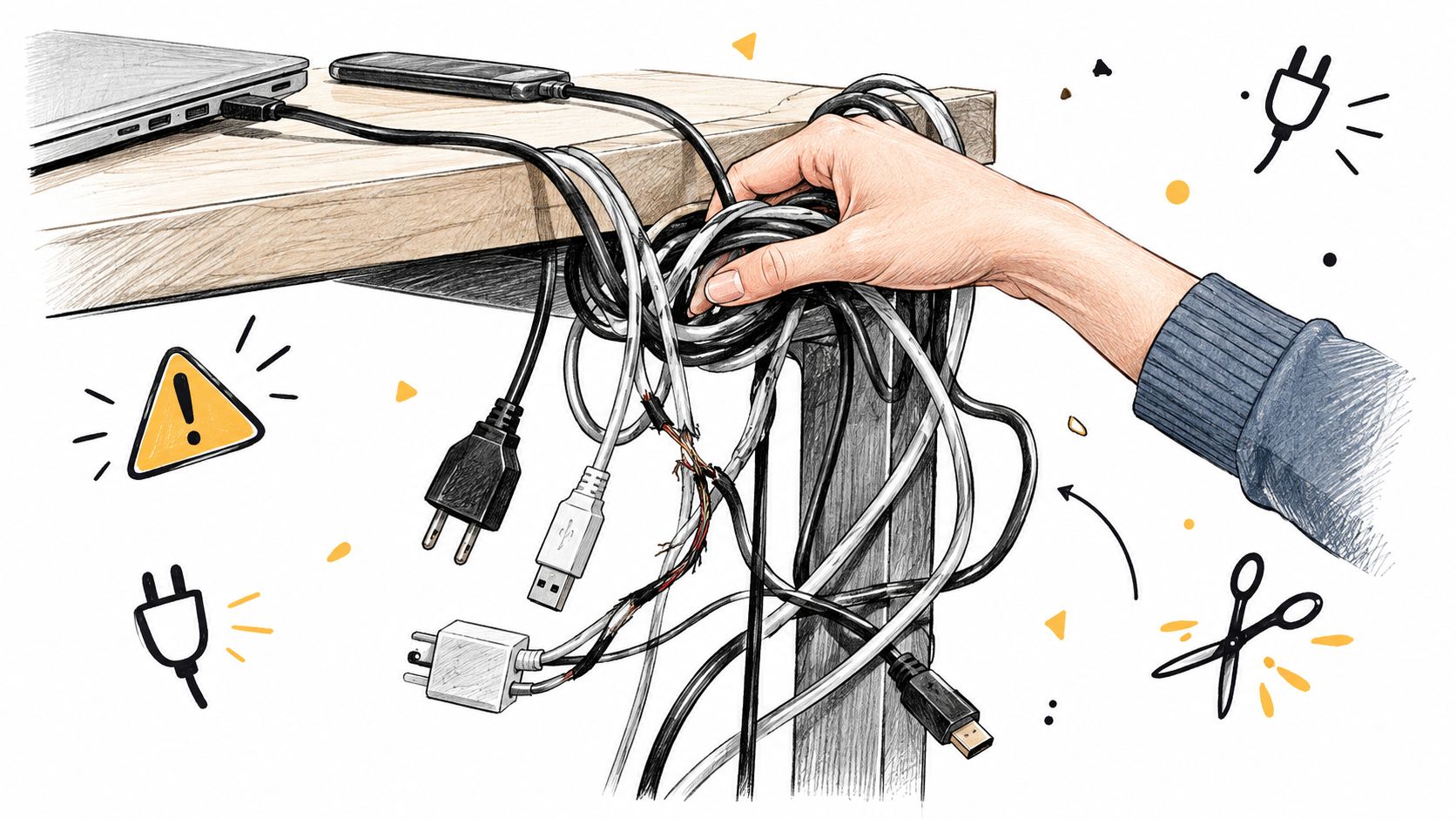
    • Plan around cords and chargers: A simple cable route makes the desk much easier to open and close regularly.
    • Check what must be cleared before closing: Lamps, monitor risers, and file trays often turn a quick fold-up into a nightly cleanup project.

    A room planner helps here because product photos rarely show how much floor space the open position uses.

    Where it works best, and where it falls short

    Resource Furniture and similar transforming furniture brands offer polished versions of this concept. Custom built-ins can work well too, especially when the desk needs to match surrounding cabinetry or fit an awkward wall.

    The trade-off is daily behavior.

    If you leave out a second monitor, stacks of paper, or recording gear, a fold-down desk starts to feel inconvenient fast. People who reset their workspace daily usually like this style. People who spread out and leave projects midstream often do not.

    That does not make it a bad choice. It just makes it a specific one.

    A quick video can help you picture the motion before buying.

    Best use case

    This is one of the strongest home office ideas for small rooms when the room already has a primary job. If you are building the office-in-a-guest-room, the work corner in a studio, or a setup along a living room wall, a fold-down desk keeps the workspace available without giving it permanent control of the room.

    5. Vertical Storage with Compact Desk

    A small desk can work hard if the wall around it is planned well.

    This setup solves a specific problem. You need a real work surface, but the room cannot spare floor space for filing cabinets, a wide credenza, or extra side storage. A compact desk with storage above and beside it keeps the footprint tight and shifts the bulk upward, where the room usually has unused capacity.

    Use the wall with intention

    A narrow desk under shelving often functions better than a larger desk with nowhere to put daily supplies. IKEA BILLY units beside a slim desk, an Elfa system with adjustable shelves, or a simple built-in run can all do the job. The right choice depends on how fixed the setup needs to be. Freestanding pieces are easier to change later. Built-ins look cleaner, but they ask for better planning up front.

    That planning matters even more in shared spaces. As noted earlier, many people work in bedrooms, living rooms, or mixed-use corners rather than a dedicated office. Vertical storage helps those spaces stay usable because the storage lives on the wall instead of creeping across the floor.

    Measure twice, buy once applies here more than almost anywhere else in a small home office. Check desk width, shelf depth, outlet locations, and how far the chair needs to pull back. A room planner is useful because wall systems often look lighter in photos than they feel in a real room.

    Set up the wall so it stays useful

    The best versions of this layout are not packed from top to bottom. They are edited.

    • Keep everyday items between shoulder and desk height: Pens, notebooks, chargers, and files should be easy to reach from the chair.
    • Use shallow shelves when possible: Deep shelves hold more, but they can make the desk feel boxed in.
    • Mix open storage with closed bins or doors: Open shelves display books and a few attractive objects. Closed storage hides paper, cables, and the awkward supplies every workspace collects.
    • Repeat the same containers: Matching bins make a busy wall feel organized fast.

    Common mistake

    People often buy the desk first, then squeeze storage around it. I usually do the reverse on small walls. Start with the full width and height you can use, then choose a desk depth that preserves legroom and walkway space.

    Desk depth is the trade-off to watch. If the desktop is too deep, the whole composition starts pushing into the room, and the vertical advantage gets lost. For many small rooms, a compact desk paired with disciplined wall storage works better than a larger desk that claims the floor and still leaves supplies scattered.

    Do not judge wall storage by the styled photo. Judge it by where the router, paper tray, headset, charger, and notebook stack will actually go.

    For the work corner that needs to stay efficient without taking over the room, this is one of the most practical solutions.

    6. Desk in Bedroom or Living Room Integration

    A lot of home offices start the same way. The laptop lands on a nightstand, then the dresser, then the dining table, and soon work has no real home in the room.

    A desk in a bedroom or living room solves that, but only if it feels intentional and keeps the room usable for everything else. The goal is an integrated workspace, not a setup that looks temporary or forces daily work clutter into your sleep or lounge space.

    Start with the room's job

    Bedrooms need calm. Living rooms need flexibility. That changes what kind of desk makes sense.

    In a bedroom, a slim desk under a window or on a side wall usually works better than placing it tight against the bed. You need enough clearance to open drawers, make the bed, and move around without bumping into a chair. In a living room, a console desk or narrow writing desk often fits the scale better than a deep office workstation that pulls attention away from the rest of the furniture.

    This is one of those areas where measuring saves money. I tell customers to measure the wall, then the walkway, then the chair depth when it's pulled out. A desk can fit on paper and still make the room annoying to use.

    Planning before you buy helps. Woodstock Furniture & Mattress Outlet offers a Room Planner tool that lets you test placement before the desk arrives. In shared rooms, that can catch the mistakes people miss in a showroom, like blocking a nightstand, crowding curtain movement, or leaving no space to pass comfortably.

    Make the desk belong to the room

    A desk that matches the room's visual weight always works harder in a shared space.

    If the bedroom has warm wood, upholstered pieces, and softer lines, choose a desk that speaks the same language. If the living room is cleaner and more structured, a simple desk with closed storage usually blends in better than exposed office furniture with metal legs, wire baskets, and visible supplies.

    The chair matters too. In a dedicated office, a purely functional chair can be fine. In a bedroom or living room, that chair stays in view all day, so it needs to support your body and look appropriate in the room.

    Set a boundary so work does not spread

    Shared rooms need a stopping point for work. Without one, papers end up on the bed, chargers migrate to the side table, and the room starts doing several jobs poorly.

    A few practical fixes help:

    • Place the desk on a rug or near a specific lamp. That gives the work zone a clear footprint.
    • Use one nearby closed-storage piece. A drawer unit, cabinet, or media console can hide papers and devices when not in use.
    • Add a low divider only if the room can spare the width. A screen or short bookcase can help in open living rooms, but it should not choke the walkway.
    • Limit what stays on the surface. In a bedroom especially, a visually quiet desktop makes the room easier to relax in.

    The main trade-off is depth. A deeper desk gives you more working room, but in bedrooms and living rooms it often creates the exact problems people are trying to solve, cramped paths, crowded furniture, and a setup that dominates the space. For many small rooms, a narrower desk with smarter storage nearby is the better choice.

    7. Adjustable-Height or Standing Desk

    A common small-room problem looks like this: the desk fits on paper, but once the chair pulls out and your monitor goes up, the whole corner starts feeling cramped. An adjustable-height desk can solve that, but only when the room has enough clearance for both sitting and standing positions.

    This option works best for the person who spends long hours at the desk and needs posture changes during the day, not just a smaller footprint. The base still takes up floor space. What you gain is flexibility within that footprint.

    Buy for movement, not for the trend

    In tight rooms, people often accept a setup that is physically wrong because they are focused on making everything fit. A desk ends up too high for typing. The monitor sits low because there is no riser. The chair gets chosen for its size instead of its support.

    An adjustable desk helps correct some of those compromises. It can let one surface work for seated typing, standing calls, and short task changes without adding another table to the room. That matters in a spare bedroom corner, a loft nook, or a living room edge where every inch has to do real work.

    Still, measure before you buy. I always tell customers to check three numbers first: desktop width, desktop depth, and the space needed behind the desk when the user stands up. If standing means backing into the bed frame or blocking a walkway, the desk is technically functional but practically wrong.

    The better question is whether the room can support it

    A standing desk is not automatically the best choice for a small room. A fixed desk often gives you more stability for less money, and in some layouts that is the smarter trade-off.

    An adjustable model earns its keep when:

    • You work full days at the desk. Position changes are more useful with long sessions than occasional laptop use.
    • You have enough depth to stand comfortably. The room needs body space, not just desk space.
    • Your equipment is modest. A laptop, monitor, keyboard, and lamp are easier to manage than a heavy multi-monitor setup in a compact room.
    • You will use the height adjustment. If the desk stays in one position all year, a simpler desk may be the better buy.

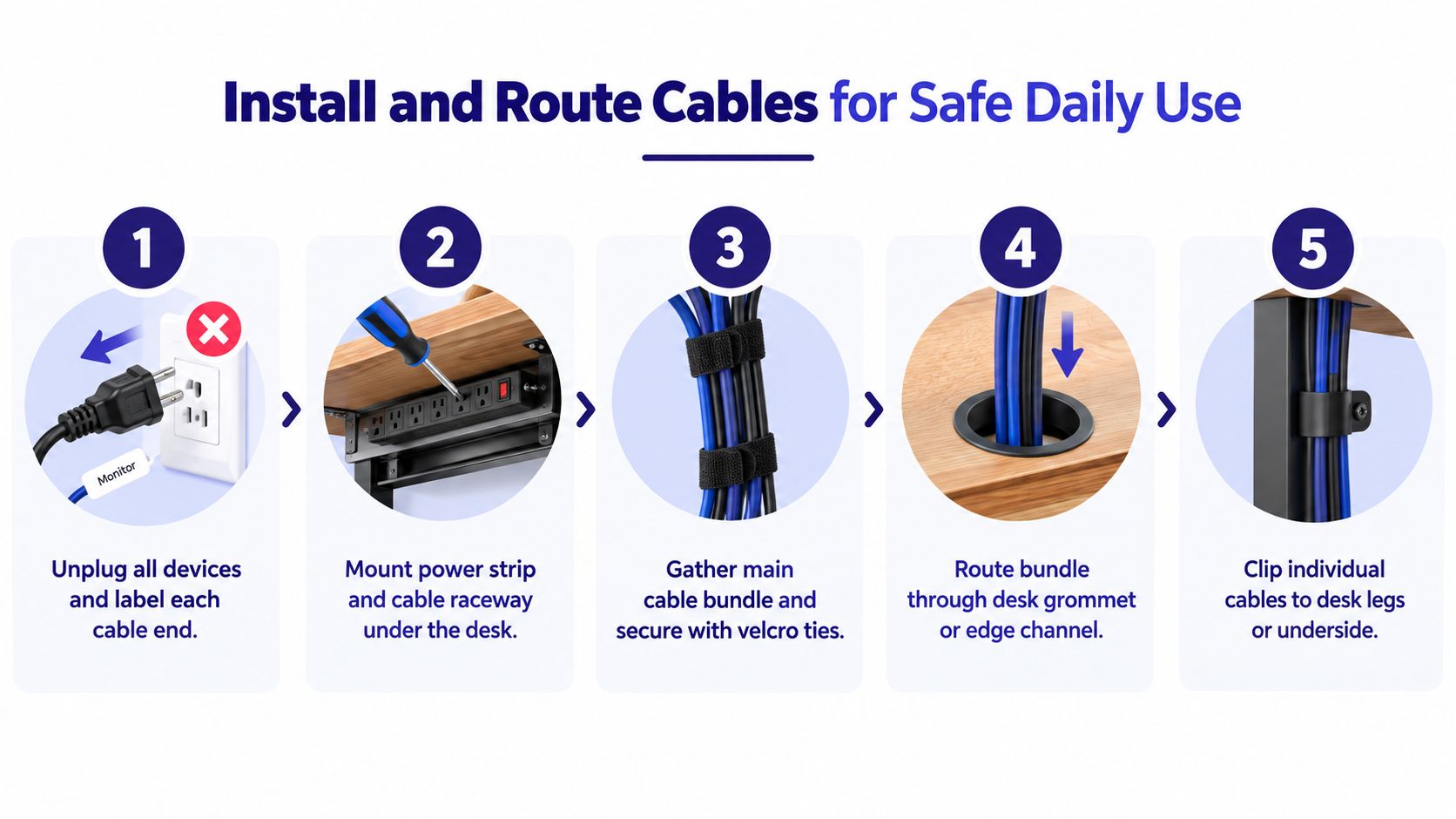
    Cable planning matters more here than with a fixed desk. As soon as the surface moves, messy cords become a daily annoyance. Leave slack where needed, mount the power strip under the top if possible, and check that nothing snags at full height.

    A standing desk does not rescue a bad floor plan. It gives a well-measured plan more range.

    If you are comparing models, test the same things you would test in a showroom or during setup planning. Check for wobble at standing height, listen to the motor if it is electric, and look closely at the feet. Some bases have wide feet that can present unexpected tripping problems in narrow rooms.

    A room planner helps here. Mark the desk at its full size, then mark the pulled-out chair position and the standing zone behind it. That simple step prevents one of the most common buying mistakes: choosing a desk that fits the wall but does not fit the person using it.

    8. Multipurpose Furniture with Hidden Office Features

    The problem here is familiar. The only open spot for work is also where you drink coffee, watch TV, or host overnight guests. In that kind of room, furniture with hidden office features can make sense, but only if you are honest about how you work.

    Lift-top coffee tables, storage ottomans with work surfaces, nesting consoles, and other converting pieces solve one specific problem. They let the room return to its original job once work is complete. That is useful in a studio, a one-bedroom apartment, or a living room that has to stay presentable.

    A line drawing showing a multifunctional coffee table that converts into a desk with hidden interior storage.

    The trade-off is comfort.

    A hidden work surface usually suits short laptop sessions, paperwork, or household admin. It is a weaker choice for full workdays, long typing sessions, monitor setup, and video calls. As noted earlier in the article, multifunctional pieces can ask your neck, shoulders, and wrists to adapt to the furniture instead of the other way around.

    That is why I treat this category as a space-saving solution first, and a workstation second.

    Before you buy, measure twice and test the piece against the actual job you need it to do:

    • Check the working height. A surface that feels fine for coffee can be too low for typing.
    • Check stability during use. Small wobble becomes constant irritation once you start writing, clicking, or resting your forearms on it.
    • Check the conversion steps. If opening the desk feature means clearing decor, lifting heavy sections, and resetting everything later, the routine gets old fast.
    • Check where your work kit goes. Hidden storage helps only if your laptop, charger, mouse, and notebook fit without turning setup into a scavenger hunt.

    A room planner helps more than people expect with this type of furniture. Mark the piece in its closed position, then in its open working position. Add the seated reach, the path around it, and any nearby sofa, media console, or bed. That simple planning step catches a common mistake: buying a clever piece that fits the room visually but blocks the room once it is in work mode.

    For homes that cannot hold a permanent desk, this option can be the right compromise. For anyone working from home every day, I would still choose a dedicated desk whenever the floor plan allows it. Hidden office features are useful. They just work best when the problem is storage and visibility, not eight hours of daily ergonomics.

    8 Small-Room Home Office Ideas Compared

    Solution Implementation complexity Resource requirements Expected outcomes Ideal use cases Key advantages
    Compact Desk with Built-in Storage Low, ready-made units, basic assembly Moderate, small floor footprint (36–48"), integrated materials Unified workstation with close-at-hand storage and reduced need for extra furniture Remote workers with moderate storage needs in small rooms Integrated storage, affordable, keeps supplies accessible
    Wall-Mounted Floating Desk Medium–High, requires stud mounting or professional install Low floor use but needs strong wall and heavy-duty hardware Maximized floor space and airy, minimalist aesthetic Minimalists and very tight floor-plan rooms Opens floor, modern look, customizable height/width
    Corner Desk Solution Medium, some models modular, some custom-fit required Larger surface area using corner; may need more materials Expanded work surface and natural task zoning Multi-tasking professionals needing dual zones/monitors Large usable surface, better multi-monitor support, privacy
    Murphy Desk / Fold-Down Wall Desk High, custom or kit installation with structural support Significant, sturdy wall, cabinet space, higher cost Workspace that fully hides when not in use, enabling multipurpose rooms Guest rooms, studios, and multi-use spaces Completely disappears, excellent space saver, flexible
    Vertical Storage with Compact Desk Medium–High, shelving systems often require precise installation Wall height and shelving units; organizational accessories High storage capacity with minimal floor impact; visually layered storage Organization-focused users needing lots of storage in small rooms Maximizes vertical space, keeps eye-level open, flexible storage
    Desk Integrated into Bedroom/Living Room Low–Medium, furniture selection and strategic placement Uses existing room furniture; minimal new footprint Seamless workspace that preserves primary room function Apartment dwellers without a dedicated office Cost-effective, easy to implement, can use natural light
    Adjustable-Height / Standing Desk Medium, assembly; electric models require power and setup Power access for electric models; higher budget for motors Ergonomic sit-stand flexibility, reduced sitting-related strain Health-conscious remote workers in small spaces Promotes posture and circulation, adaptable work positions
    Multipurpose Furniture with Hidden Office Features Low–Medium, select or assemble convertible pieces Combined furniture pieces (coffee table/ottoman/console) Discreet, dual-purpose workspace that blends with décor Studio apartments and micro-spaces needing concealed work areas Preserves room aesthetic, multi-functionality, space-efficient

    Your Small Space Has Big Potential

    A small room doesn't need to become a frustrating room. It just needs a more disciplined plan.

    That's the thread running through all of these home office ideas for small rooms. The right answer depends less on style and more on the problem you're solving. If clutter is the issue, built-in storage may do more for you than a larger desk. If the room has to switch roles every evening, a fold-down or hidden workspace may be worth the trade-off. If you work long hours, ergonomics deserve more attention than a trendy silhouette.

    The biggest buying mistakes usually happen before the furniture arrives. People measure one wall and forget the baseboard. They count desk width but not drawer clearance. They assume the chair will tuck in, then discover it blocks the bed path. That's why a measure-twice, buy-once approach matters so much in small spaces.

    A few simple planning habits help:

    • Mark the footprint first: Painter's tape on the floor is still one of the best reality checks.
    • Measure movement space: Don't just measure the furniture. Measure how you'll sit, stand, and walk around it.
    • Think through the full day: Where does your laptop go at night? Where do cords, paper, and chargers live?
    • Prioritize comfort: If you'll work there every day, chair support and desk height matter as much as appearance.

    If you're still narrowing things down, outside inspiration can help, especially when you're also trying to keep the room attractive and calm. These small room decorating ideas can help you think through scale, color, and visual balance around the workspace.

    If you'd rather see options in person, Woodstock Furniture & Mattress Outlet is one practical place to compare desks, desk chairs, storage pieces, and layout possibilities. Their team also offers planning support and room tools that can help you visualize what will fit before you bring anything home.

    Small rooms ask for better decisions, not bigger furniture. Once the layout matches the way you work, even a tight corner, closet conversion, or shared bedroom wall can become a workspace that feels settled, usable, and much easier to live with.


    If you're ready to plan a small home office more carefully, Woodstock Furniture & Mattress Outlet offers desks, office chairs, storage pieces, and room planning tools that can help you sort through real measurements and real trade-offs before you buy.

  • A Guide to Ergonomic Home Office Chairs for Improved Health & Productivity

    A Guide to Ergonomic Home Office Chairs for Improved Health & Productivity

    Finding the right ergonomic home office chair isn’t about just picking something that looks comfortable. It’s a process of matching a chair to your body, your health, and the way you work, ensuring you stay productive and pain-free for hours on end. A well-designed chair is less of a simple seat and more of a personalized tool, which makes it one of the most important investments for anyone working from home.

    Why Your Chair Is a Critical Home Office Investment

    The massive shift to remote work has turned millions of spare rooms, kitchen tables, and forgotten corners into full-time offices. While the commute is great, this change has uncovered a huge problem—many of us are spending our entire workday in chairs that simply weren't built for it. The result? Aches and pains in the back and neck, and a noticeable drop in focus and well-being.

    It’s time to stop thinking of a quality ergonomic chair as a luxury purchase and start seeing it as a foundational piece of equipment. It’s a tool specifically designed to prevent the physical wear and tear that comes from sitting all day in an unsupportive seat.

    Diagram contrasting bad sitting posture causing back pain with proper ergonomic posture and support.

    The Growing Need for Better Support

    Here at Woodstock Furniture & Mattress Outlet, we've seen firsthand how many people are looking for real solutions to work-related discomfort. And it’s not just a hunch we have; the numbers back it up.

    The market for ergonomic office chairs was valued at USD 12.08 billion in 2024 and is expected to continue growing. This trend is a direct result of the boom in remote work and a much greater awareness of just how important our well-being is.

    Our goal with this guide is to cut through the confusion and marketing fluff. We want to give you the clear, honest education you need to understand what actually matters in a chair. This way, you can find a suitable fit for your body, your work habits, and your specific needs.

    A truly "ergonomic" chair is the one that disappears. It should support you so well that you forget it’s even there, allowing you to focus completely on your work without distraction or discomfort.

    Understanding the Core Principles

    Before we start comparing features and different models, it's helpful to get a handle on why ergonomics is so important in the first place.

    Grasping the fundamental principles of workplace ergonomics is the key to setting up a healthy home office and getting the most out of your investment. A good chair is only one part of the puzzle; it has to work together with your desk, monitor, and keyboard to create a truly supportive system.

    By the time you finish this guide, you’ll have the know-how to confidently look at any ergonomic chair and make a smart decision that will benefit your health for years to come.

    What Makes a Chair Truly Ergonomic? Breaking Down the Features That Matter

    The word “ergonomic” gets thrown around so much these days that it’s almost lost its meaning. A sticker on the box doesn’t make a chair ergonomic; it's the specific, adjustable features that solve real-world problems like nagging back pain, neck strain, and poor circulation.

    Figuring out what these features actually do is the key to finding the right home office chair for your body. Instead of just giving you a list of parts, let’s connect each feature to a real benefit. This will help you pinpoint your own discomfort and see which adjustments will bring you the most relief. After all, a great chair should adapt to you, not the other way around.

    Lumbar Support That Actually Does Its Job

    One of the most common complaints we hear from folks sitting for long hours is lower back pain. This usually happens because a basic chair doesn't support the natural inward curve of your spine, which makes you slouch and puts a ton of strain on your back.

    Adjustable lumbar support is the direct answer to this problem. This feature lets you fine-tune both the height and depth (the amount of pressure) of the support, positioning it perfectly in the small of your back.

    • Height Adjustment: This makes sure the support nestles right into your spinal curve—not too high and not too low.
    • Depth Adjustment: This lets you dial in the amount of pressure, from a gentle reminder to more firm support, depending on what feels best at that moment.

    When it’s set up right, lumbar support encourages a healthy posture, taking the load off your lower back. Without it, even a few hours of sitting can lead to discomfort that builds up over time.

    Seat Adjustments for All-Day Comfort

    Your chair's seat is the foundation for your entire posture, and a one-size-fits-all approach just doesn't cut it. Two critical adjustments—seat depth and seat height—are non-negotiable for proper leg support and circulation.

    Seat depth adjustment lets you slide the seat forward or backward. You're looking for the sweet spot where you have about two to three fingers of space between the edge of the seat and the back of your knees.

    A seat that's too deep will dig into your calves, cutting off circulation and causing numbness. On the other hand, a seat that’s too shallow won't give your thighs enough support, which isn't comfortable either.

    Seat height adjustment is just as important. Your feet should rest flat on the floor with your knees at roughly a 90-degree angle. This gives you a stable base and stops you from dangling your legs or scrunching them up—both of which can cause pain in your hips and back.

    Armrests That Take the Weight Off Your Shoulders

    Here’s something most people don’t think about: your arms are heavy! When they hang unsupported all day, they pull down on your shoulders and neck. Over an eight-hour workday, this constant tension can lead to chronic pain. This is where a good set of adjustable armrests, often called 4D armrests, can be a game-changer.

    The "4D" just means they move in four different directions:

    1. Height: Up and down to line up with your elbow height.
    2. Width: In and out to match your shoulder width.
    3. Depth: Forward and backward to support you whether you're typing or leaning back.
    4. Pivot: Angling inward or outward to support your forearms during different tasks.

    By keeping your arms properly supported, 4D armrests let your shoulder and neck muscles finally relax. This is a huge benefit for anyone who spends a lot of time typing or using a mouse, as it helps you avoid hunching forward.

    The big idea behind all these features is adjustability. It’s what allows a single, well-designed chair to give a custom fit to all sorts of body types and work styles. Finding a chair with the right mix of these adjustments is a huge step toward a healthier and more comfortable workday.

    Comparing Ergonomic Chair Types for Different Work Styles

    Finding the right ergonomic chair isn't about picking a single model off a list. It’s all about matching the chair’s design to your body, your work habits, and your space. A chair that feels like a dream for one person might be a total nightmare for another.

    The key is to understand what each type of chair was built to do and who it's meant for. Instead of just listing pros and cons, let's look at these chairs based on how you’d actually use them day-to-day. This will help you connect a chair’s features to the real problems you're trying to solve—whether that's fighting off back pain, staying cool, or just finding something that looks right in your home office.

    Mesh Task Chairs For Breathability

    Mesh task chairs have become incredibly popular in home offices, and for very good reason. Their biggest selling point is excellent airflow. If you’re someone who tends to run warm or your office gets a little stuffy, a mesh back and seat can be a game-changer for your comfort over a long day.

    These chairs are typically built with adjustability as a top priority, often loaded with features like tunable lumbar support, seat depth sliders, and 4D armrests. The engineered mesh is designed to be both supportive and flexible, molding to your shape without creating uncomfortable pressure points. They are a fantastic, practical choice for anyone logging long, focused hours at a desk.

    Executive Chairs For Robust Support and Style

    Executive chairs bring a more traditional, stately presence to a room, often upholstered in leather or premium fabrics. But it’s not just about looks. These chairs are usually built with beefy frames and generous cushioning, giving you a sense of solid, all-encompassing support.

    While they might not have the tiny, granular adjustments of a high-end task chair, they almost always include the most important ergonomic features. You can expect things like built-in lumbar support, well-padded armrests, and a quality synchro-tilt mechanism. An executive chair is a great fit if you value a classic aesthetic and prefer a plusher, more cushioned feel over maximum airflow.

    Kneeling Chairs For Active Sitting

    Kneeling chairs take a radically different approach to sitting. Ditching the traditional backrest, they use angled pads to support your shins and seat. This clever design encourages your pelvis to tilt forward, which naturally helps you sit upright and maintain a healthy spinal curve.

    By opening up the angle between your torso and thighs, a kneeling chair forces you to engage your core muscles to stay balanced. This "active sitting" is the enemy of slouching and can be a huge relief for chronic lower back pain.

    These chairs are an excellent tool for people who want to change up their posture, take pressure off their lower back, and even build a little core strength while they work. Just keep in mind, they’re often best used in rotation with a standard office chair, as they can put extra pressure on your shins during very long work sessions.

    If you’re still not sure where to start, this decision tree can help you figure out which features to prioritize based on where you feel discomfort.

    best ergonomic home office chairs

    As the guide shows, simply identifying whether your pain is in your back, legs, or shoulders is the first step. From there, you can narrow down the specific ergonomic feature that will give you the most relief.

    Ergonomic Chair Types Compared by Use Case

    To make the differences even clearer, this table breaks down these common chair styles. Think of it as a quick guide to see which type might best fit your work habits and physical needs.

    Chair Type Primary Benefit Ideal User Profile Common Materials
    Mesh Task Chair Breathability and high adjustability for a fine-tuned fit. Individuals who work long hours and prioritize airflow and personalized ergonomic settings. Engineered mesh, polymer frame, fabric seat.
    Executive Chair Substantial cushioning and a professional, classic appearance. Users who prefer a plusher feel and a traditional aesthetic with solid, integrated support. Leather, bonded leather, high-density foam, wood or metal accents.
    Kneeling Chair Promotes an open hip angle and engages core muscles. People looking to improve posture, reduce lower back strain, and practice "active sitting." Fabric, memory foam, wood or steel frame.

    Getting a handle on these basic differences is a massive step toward choosing a suitable best ergonomic home office chairs for your unique needs. Ultimately, the decision comes down to your personal preference and which style truly supports you through the workday. Nothing beats visiting a showroom to try out a few different types and feel the difference for yourself.

    How to Measure for a Chair That Fits Your Body

    best ergonomic home office chairs

    We've all seen those fancy office chairs packed with levers, knobs, and high-tech features. But here’s the thing: a chair is only as good as its fit. If it's the wrong size for your body, all those adjustments are pointless. Worse, it could even cause more aches and pains than the old chair you were trying to replace!

    The goal is to find a chair that feels like it was made just for you, supporting your body so well that you don't even have to think about it. You don't need to be an ergonomics expert to get this right. You just need to know your own measurements and what to look for when you try a chair out.

    First Things First: Determining the Right Seat Height

    The absolute starting point for a good fit is the seat height. Get this right, and you're building a stable foundation for your entire posture. The goal is simple: keep your feet flat on the floor with your knees bent at roughly a 90-degree angle. This keeps you from putting extra stress on your lower back.

    Here's how you measure it. Sit down on a firm, flat surface — a dining chair or even a sturdy box will do — where your feet can rest comfortably on the ground. Grab a tape measure and record the distance from the floor all the way up to the crease behind your knee. That number is your ideal seat height. When you're shopping, make sure the chair's height adjustment range has your number covered.

    Next Up: Finding the Proper Seat Depth

    Seat depth might be the most overlooked measurement, but it's vital for good leg circulation and thigh support. If a seat is too deep, it will dig into the back of your calves and could cut off blood flow. If it's too shallow, your thighs won't have enough support, putting a ton of pressure on your sit bones. Ouch.

    Here's the trick to finding your ideal depth:

    1. Sit all the way back in the chair so your back is firmly against the backrest.
    2. Now, try to slide your hand between the front edge of the seat and the back of your knees.
    3. You should be able to fit about two to three fingers in that gap.

    That little bit of space is the sweet spot. It means you’re getting full support along your thighs without any uncomfortable pressure behind your knees. Many high-quality ergonomic home office chairs will have a seat depth adjustment, letting you slide the seat forward or backward to get it just right.

    Ensuring the Backrest Aligns with Your Spine

    A backrest has one main job: to support the natural "S" curve of your spine, especially the lumbar area (your lower back). A backrest that’s too short won't do a thing for your upper back and shoulders. And if the shape is off, it won't align properly with your lower back curve, which can feel like it's pushing you out of the chair.

    When you sit down, really pay attention to how the backrest feels. Does the built-in curve fit nicely into the small of your back? Or does it feel like there's a brick back there? Can you lean back and feel consistent support all the way up to your shoulder blades?

    This is where durability really comes into play. Think about it: the average office worker can sit for around 10 hours a day. That adds up to a staggering 17,000 hours in a year! This is why you need a chair that’s built to last, with support that won't sag or give out over time. You can find more interesting facts about office chair use over at millersatwork.com.

    An ergonomic chair should support you without creating pressure points or restricting natural movement, much like a well-fitted pair of shoes.

    The Irreplaceable Value of an In-Person Test

    These measurements will give you a fantastic head start, but numbers on a screen can't tell you the whole story. The single most important step is to test a chair in person. Coming into a showroom lets you get past the specs on a website and actually feel how a chair works with your unique body.

    When you're trying one out, don't just sit there for 30 seconds and call it a day. Try to mimic what you do at work. Lean forward as if you're writing, lean back to take a call, reach for something on your desk, and even do some "air typing." This hands-on experience is the only way you'll know for sure if a chair will give you the comfort and support you need to get through a productive day.

    Proper Setup and Care for Your New Chair

    So you’ve brought home your new ergonomic chair. That's a huge win for your back and your workday! But just unboxing it and plopping down isn't going to magically fix your posture.

    To get the full benefit from your new investment, you’ve got to dial it in for your body and your workspace. Think of it like getting a custom-fitted suit—a few key adjustments make all the difference. Don’t worry, it only takes a few minutes, and we’ll walk you through it.

    Five steps illustrate how to adjust and maintain an ergonomic office chair for proper setup.

    Following these steps in order is the secret sauce. Each adjustment builds a foundation for the next, creating a stable and supportive posture from the ground up.

    The Correct Order for Chair Adjustments

    Believe it or not, there's a right way and a wrong way to adjust your chair. For the best results, you want to start with your feet on the floor and work your way up. It’s a simple 5-step process.

    1. Seat Height: Start here. Adjust the height so your feet are planted flat on the floor and your knees are at about a 90-degree angle. This is your anchor point.
    2. Seat Depth: Scoot your back all the way against the backrest. You should be able to fit two or three fingers between the front edge of the seat and the back of your knees. This is critical for circulation.
    3. Backrest and Lumbar Support: Now, focus on your back. Adjust the backrest’s height until the lumbar curve fits snugly into the small of your back. It should feel like a gentle hug, not a shove.
    4. Armrests: Lower your shoulders and let them relax. Set the armrest height so your elbows rest comfortably at a 90-degree angle. This takes a ton of strain off your neck and shoulders.
    5. Tilt and Tension: Last but not least, set the recline. You want to be able to lean back with a gentle push but still feel fully supported, whether you're sitting upright or reclining.

    Think of this process like tuning a guitar. You can’t just tune one string and expect the instrument to be in harmony. Each adjustment works together to create a perfectly balanced and supportive experience.

    Extending the Life of Your Chair

    A high-quality ergonomic chair is an investment built to last for years, but like any tool you rely on every day, it needs a little TLC. A bit of routine maintenance will go a long way in keeping it looking and feeling brand new.

    This small time commitment protects your purchase and ensures your chair keeps providing the support you paid for.

    Material-Specific Cleaning

    • Mesh: The easiest to clean! Just use a vacuum with a brush attachment to get rid of dust. For any spills, a cloth with a bit of water and mild soap will do the trick.
    • Leather: Dust it regularly with a soft cloth. Every few months, use a dedicated leather cleaner and conditioner to keep it from getting dry and cracked over time.
    • Fabric: Vacuum regularly to stop dirt from getting ground into the fibers. If a spill happens, blot it up right away with a clean cloth and a good fabric upholstery cleaner.

    Hardware and Component Checks

    About twice a year—maybe when the seasons change—give your chair a quick once-over.

    Check that all the screws and bolts are tight, as they can loosen with daily use. If you hear any squeaks, a little silicone spray on the moving joints will quiet them down and keep adjustments feeling smooth.

    Taking these few simple steps ensures your ergonomic chair will be a faithful work companion for years to come. And if you ever have questions or run into an issue, our team here at Woodstock Furniture & Mattress Outlet is always happy to help

    Alright, you’ve made it this far, so you’re well on your way to a more comfortable, productive workday. We've dug into the nitty-gritty of what separates a truly great ergonomic chair from a run-of-the-mill office chair. You know what to look for, how to measure, and which features actually matter.

    But here’s the thing—as much as we can share with you online, the most important step can't happen through a screen. Finding your perfect chair is a hands-on job.

    Why You've Got to Try Before You Buy

    Think of it like buying a new mattress or a pair of shoes. You can read all the reviews in the world, but you’ll never know for sure until you try it for yourself. How does the lumbar support actually feel against your back? Do your feet rest flat on the floor at the right height? Is the fabric breathable?

    These are the details that turn a good chair into your chair. An in-person visit is your chance to connect all the dots from your research and feel how concepts like seat depth and armrest pivot translate to real-world comfort.

    Our showrooms in North Georgia are set up specifically for this. We want you to sit, adjust, and compare different models side-by-side in a relaxed, no-pressure environment. Take your time. This is a big decision.

    An ergonomic chair is more than just a piece of furniture—it’s a long-term investment in your own health and well-being. Spending a little time testing options in person is the best way to make sure that investment pays off in comfort and focus for years to come.

    Let Our Experts Help You Find the Perfect Match

    Our team isn't here to push you into a purchase. We're furniture experts who genuinely want to help you find the right solution. They can answer your questions, show you how to fine-tune the adjustments, and offer personalized advice to help you find that "just right" fit you've been looking for.

    We'd love for you to come by our Woodstock/Acworth, Dallas/Hiram, or Rome showrooms. Come on in, take a seat (or several!), and let's find the ideal ergonomic chair for your home office together.

    Frequently Asked Questions About Ergonomic Chairs

    Even with all this information, we know you've probably still got a few questions rattling around. That’s perfectly normal! Choosing the right ergonomic chair is a big decision for your home office, and we get these questions on the showroom floor all the time.

    To help you feel confident in your choice, we’ve gathered a few of the most common questions our furniture experts hear every single day.

    How Much Should I Expect to Invest in a Good Ergonomic Chair?

    This is probably the number one question we get, and for good reason. The price tags on ergonomic chairs can be all over the map. You can find chairs with "ergonomic" on the label for a surprisingly low price, but a truly high-quality model is a different animal altogether.

    Think of a good ergonomic chair less like a simple piece of furniture and more like a long-term investment in your own health and well-being. These chairs are built to last for years, often backed by warranties that prove it. The cost reflects the complex engineering, durable materials, and incredible range of adjustments designed to keep you comfortable and productive, day in and day out.

    Are Gaming Chairs a Good Substitute for Office Chairs?

    While a gaming chair is certainly a step up from the dining room table, they're really built for a different purpose than a dedicated office chair. Gaming chairs often have that race-car-inspired look—high, winged backs and deep bucket seats. They’re designed to be comfortable and cushioned for leisurely, reclined positions.

    A proper ergonomic office chair, on the other hand, is engineered specifically to support your body in an active, upright working posture. Every feature, from the lumbar curve to the seat depth and armrest positions, is there to promote a healthy posture while you’re focused on a task. For all-day work, a dedicated office chair is almost always the better tool for the job.

    How Do I Know if My Current Chair Is Causing My Discomfort?

    It's not always easy to play detective with your aches and pains, but your chair is a prime suspect if you start noticing some tell-tale patterns.

    A simple self-assessment can be revealing. If you consistently end your workday with lower back pain, neck stiffness, or tingling in your legs that you didn't have in the morning, your chair is probably not providing adequate support.

    Here are a few dead giveaways that your chair isn't cutting it:

    • Slouching: You’re constantly leaning or hunching forward to see your screen.
    • Pressure Points: Your tailbone or the backs of your thighs are sore after a few hours of sitting.
    • Leg Discomfort: Your feet are dangling, or you feel a constant, nagging pressure behind your knees.
    • Shoulder and Neck Strain: You find your shoulders creeping up towards your ears because your armrests are too high, too low, or just plain not there.

    If any of this sounds painfully familiar, it's a huge sign that upgrading to a true ergonomic chair could make a world of difference in your daily comfort.

  • Smart Home Office Furniture Ideas for a Productive Workspace

    Smart Home Office Furniture Ideas for a Productive Workspace

    If you're still working from the kitchen table, it might be time for an upgrade. Creating a home office that genuinely boosts your focus and productivity is about more than just looks; it's about building a space that supports your well-being from the ground up. That means finding the right desk, a supportive chair, and storage that helps manage the clutter.

    Building a Workspace That Actually Works

    For many of us, that "temporary" work-from-home setup has become a long-term reality. If you're still making do with a dining chair that affects your back and a table that’s just a little too high or low, you know the daily struggle. The constant shuffle of laptops and paperwork off the table before dinner can create mental clutter, making it tough to truly sign off for the day.

    Investing in dedicated home office furniture is an investment in your productivity and comfort. A proper workspace isn't a luxury—it's an essential tool for doing your work effectively. The larger trends in Office vs Work From Home dynamics only reinforce this, showing just how critical an effective remote setup has become.

    Answering the Foundational Questions

    Before you start browsing for furniture, it's helpful to take a step back and figure out what you need your workspace to do. Thinking through these questions first can save you headaches later.

    • What does your typical workday look like? Your daily tasks are the blueprint for your office. Are you on video calls all day and need a professional-looking background? Juggling multiple monitors and require a desk with a large surface area? Or maybe you're an architect or artist who needs room to spread out blueprints and supplies.

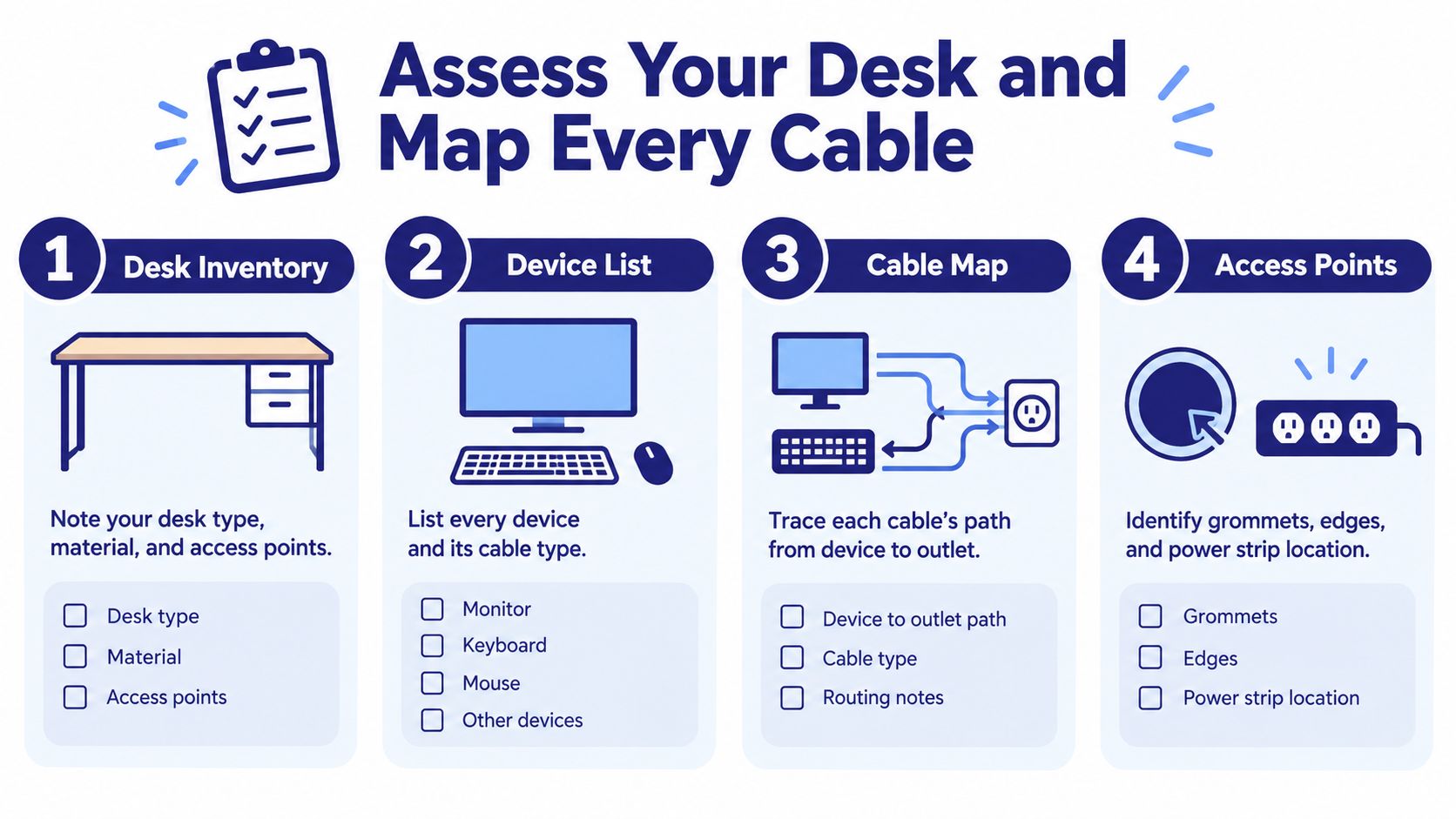
    • How much space do you really have? Pull out the tape measure and get real numbers for your available area. Pay attention to where the outlets, windows, and doors are. This simple step is crucial—it ensures the furniture you choose will actually fit and function in the room.

    • What's your budget? Setting a budget helps you focus on what matters most. For instance, you might decide to allocate more of your budget to a high-quality ergonomic chair (your back will thank you!) and find a more budget-friendly bookcase for storage.

    Thinking this way turns furniture shopping from a chore into a design project—you're creating a personalized solution suited to how you work.

    The Core Components: Your Desk and Chair

    Let's get down to the essentials of any home office: your desk and your chair. Think of them as the command center for your entire workday. Getting these two pieces right isn't just about looks; it's about creating a space where you can be comfortable, focused, and healthy for the long haul. The key concept that connects these two crucial items is ergonomics—which means your workspace should fit you, not the other way around.

    Proper ergonomics is a game-changer for avoiding the aches and pains that can creep in when you work from home. With many remote workers reporting physical discomfort, choosing adjustable furniture is a direct investment in your own well-being and productivity. In fact, studies from sources like Fortune Business Insights show an adjustable desk can cut down on physical strain by 32%, while a chair with the right back support can boost your output by as much as 20%.

    This simple flowchart can help you map out the first few steps before you even start looking at furniture.

    Flowchart illustrating a workspace planning process, covering tasks, space, budget, and furniture decisions.

    As you can see, a great home office starts with a little bit of homework: understanding your daily tasks, measuring your room, and figuring out a realistic budget.

    Finding the Right Desk for Your Workflow

    Your desk is your home base. A suitable one gives you enough room to spread out and work without completely taking over the room. The best way to choose is to think about how you work, because different desk styles are built to solve different problems.

    A desk isn't just a slab of wood; it's a tool. The right one makes your day smoother by providing the surface area and storage you need, exactly where you need it. Let's break down some of the most common options to see which might be the best fit for you.

    Choosing Your Home Office Desk

    A comparison of common desk types to help you decide which style best fits your space, work habits, and storage needs.

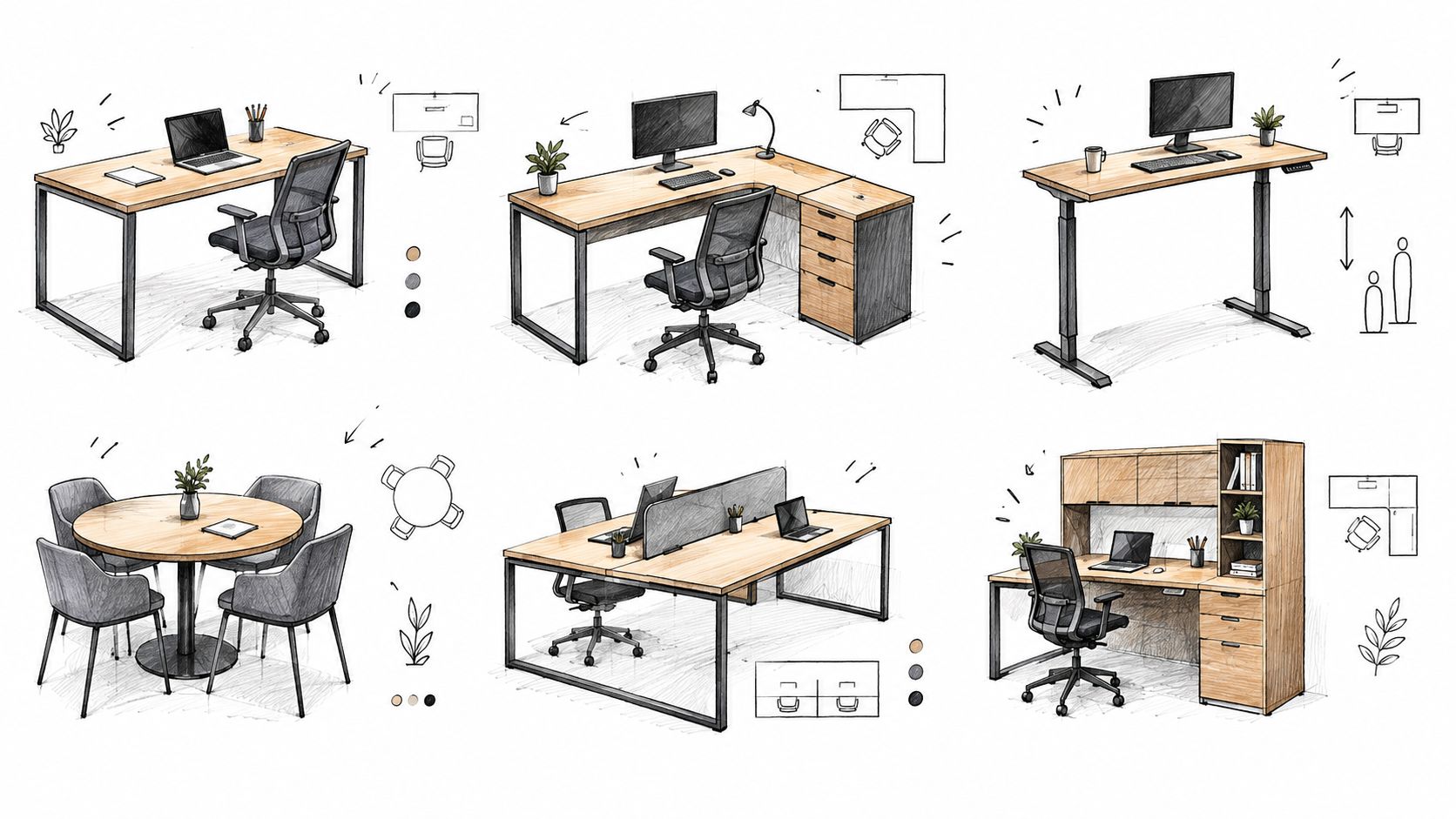
    Desk Type Best For Space Consideration Key Feature
    Executive Desk Dedicated offices, needing lots of storage and a traditional look. Requires a larger room. Substantial work surface and built-in drawers.
    Standing Desk Anyone wanting to improve posture and reduce sedentary time. Fits in most spaces, but needs vertical clearance. Height-adjustability to switch between sitting and standing.
    L-Shaped Desk Multitaskers who need separate zones for different tasks. Ideal for corners, maximizes usable space. Two distinct work surfaces in one unit.
    Writing/Secretary Desk Smaller spaces, apartments, or for light computer work. Compact footprint, fits almost anywhere. Simple, minimalist design with a focus on surface area.

    Ultimately, a good desk is one that feels like a natural extension of your workflow, keeping everything you need within easy reach and everything else neatly tucked away.

    The Importance of a Truly Supportive Chair

    If the desk sets the stage, your office chair is the star of the show. You'll spend hours in it every day, so this is one place you don't want to cut corners. A flimsy, unsupportive chair can lead to distraction and discomfort, but the right one can make all the difference.

    A truly ergonomic chair shouldn't be something you have to think about. It should adjust so naturally to your body that it fades into the background, allowing you to focus completely on your work, not on your aching back.

    When you're trying out chairs, don't just sit—adjust! Look for these key customizable features:

    • Adjustable Lumbar Support: This is non-negotiable. It needs to curve into your lower back to help you from slouching and support your natural spine alignment.
    • Adjustable Seat Height and Depth: The goal is to have your feet flat on the floor with your knees at about a 90-degree angle. You should also have a couple of inches of space between the back of your knees and the edge of the seat.
    • Adjustable Armrests: Set them so your shoulders can relax and your forearms are roughly parallel to the floor when you're typing. No shrugging or reaching

    Smart Storage Solutions for a Clearer Mind

    It's a familiar feeling: a desk buried under papers, pens, and who-knows-what-else. That physical clutter has a way of turning into mental clutter, making it difficult to focus on the task at hand. Creating a well-organized home office isn’t about making it look like a sterile, untouched showroom. It’s about building a practical system where everything has a place.

    When you can grab what you need without a frantic search and put things away just as easily, your entire workday feels smoother. This means thinking beyond the old filing cabinet and exploring smarter, more flexible home office furniture ideas. The goal is to create a space that helps you work, not one that adds frustrations to your day.

    A detailed sketch illustrating a home office workspace with a bookshelf, rolling cart, and a desk.

    Assessing Your Unique Storage Needs

    Before you think about buying furniture, take a minute to get real about what you actually need to store. The "perfect" storage solution is completely personal. A writer who just needs a laptop and a couple of notebooks has wildly different requirements than a graphic designer juggling monitors, tablets, and art supplies.

    Ask yourself a few honest questions to figure out what you truly need:

    • What do I need to grab multiple times a day? These essentials should be within arm's reach.
    • What do I use weekly or just once in a while? This stuff can be stored close by but doesn't need to hog your prime desk space.
    • What needs to be archived? Think old tax documents, completed project files, or records you need to keep but rarely touch.

    Answering these helps you create a clear hierarchy for your stuff, which points you directly to the kind of storage that will actually work for you.

    A common mistake is buying storage for the office you think you should have, instead of the office you actually use. Honesty about your workflow is the first step toward effective organization.

    Beyond the Basic Bookshelf

    These days, good storage is all about being flexible and functional. Rather than relying on one massive, immovable unit, it's often better to mix and match different solutions that can change as your work does.

    • Vertical Storage: Think up! Bookcases and wall-mounted shelves are helpful in smaller rooms. They draw the eye upward and keep the floor clear, which can make a space feel bigger and less cramped.
    • Mobile Solutions: A simple rolling cart can be great for keeping current project materials in one place. You can wheel it over when you need it and tuck it neatly into a corner when you're done for the day.
    • Integrated Storage: Why not let your desk do some of the heavy lifting? Many modern desks come with built-in drawers, hutches, or shelving. This is an efficient way to keep your most-used items contained and out of sight.

    Taming the Cable Chaos

    Let's be honest: nothing makes a workspace look messy faster than a tangled nest of wires. Getting your cables under control is a small change that makes a massive difference in how calm and professional your office feels. Simple tools like adhesive cable clips, fabric cord sleeves, or choosing a desk with built-in grommets can instantly clean up the clutter, leaving you with a more organized and peaceful environment.

    Designing an Environment for Deep Work

    A great home office is more than just a desk and a chair. It’s a carefully crafted space built for focus. The way you arrange your room, the kind of light you use, and the little details you surround yourself with—they all come together to either support your productivity or derail it completely. Creating a space for "deep work" is all about arranging these pieces to shut out distractions.

    It all begins with the layout. Take a moment to think about your daily workflow. Your desk, chair, and main storage (like a file cabinet or bookshelf) should form a tight, functional triangle. This simple setup puts everything you need within arm's reach, cutting down on the mental and physical energy it takes to jump from one task to the next.

    A hand-drawn sketch of a home office with a desk, laptop, chair, lamp, and a plant.

    Optimizing Your Room's Layout

    Even if you're working with a small corner of a room, a smart layout can make it feel organized and open. Try to position your desk where you can get plenty of natural light from a window. It helps to have the light come from your side, not directly in front of or behind your monitor, which helps reduce screen glare. If you can, arrange your desk so you’re facing the door—it’s a small psychological comfort that keeps you from feeling like someone might sneak up on you.

    A well-planned layout does more than just place furniture. It manages your line of sight. When you face a blank wall or a peaceful view instead of a messy part of the room, you’re giving your brain fewer distractions to wrestle with. That’s more focus saved for what actually matters.

    Layering Light for Comfort and Focus

    Good lighting is probably one of the most powerful—and most ignored—home office furniture ideas out there. Just flipping on a single overhead light can contribute to eye strain and that drained feeling at the end of the day. A much better approach is to layer your lighting to build a comfortable and balanced atmosphere.

    Think in three layers:

    1. Ambient Lighting: This is your room’s main light source, like a ceiling fixture or sunlight from the window. It should fill the space with a soft, even glow.
    2. Task Lighting: This is your close-up, focused light for specific jobs like reading documents. A good, adjustable desk lamp is non-negotiable here, letting you point a beam of light exactly where it’s needed.
    3. Accent Lighting: This adds personality. It could be a small lamp on a bookshelf or a picture light highlighting your favorite art print.

    Personalizing Your Space Without Adding Clutter

    Last but not least, your office should feel like it belongs to you. Adding a few personal items can be a mood and motivation booster, but it's important to be intentional about it. The line between inspiring decor and distracting clutter is surprisingly thin.

    Choose a few things that really mean something to you. A thriving plant, a framed photo of your family, or an inspiring piece of art can make your workspace a place you actually want to be. These little touches have a huge impact on how you feel about your job each day, all without making the space feel crowded.

    Creative Solutions for Every Space and Budget

    A dedicated home office doesn't have to mean a whole spare room with a door. With a bit of creativity, you can carve out a functional workspace almost anywhere. It’s all about seeing the untapped potential in your current layout, not about how much square footage you have.

    Many people find solutions by transforming overlooked nooks and crannies. Have a small, underused closet? You could create a "cloffice." Just take off the door, install a simple floating shelf for a desktop, and use the vertical wall space for organizers. When the workday is over, pull a curtain or close some bi-fold doors, and your work life is neatly tucked away.

    That awkward, empty corner in the living room or bedroom is another opportunity. A well-chosen corner desk can transform that unused spot into a command center that feels surprisingly separate from the rest of the room.

    The Power of Multi-Functional Furniture

    If you're working with a smaller apartment or home, multi-functional furniture is a helpful option. These clever pieces can save you both space and money.

    • Secretary Desks: Modern versions offer a sleek fold-down work surface that hides your laptop and papers when you're done. When closed, they just look like a stylish cabinet or console table.
    • Lift-Top Coffee Tables: This is a helpful solution for working from the couch. The top lifts up and forward to a comfortable height for your laptop, and most have hidden storage underneath for your work essentials.
    • Storage Ottomans: While it's not a desk, a sturdy storage ottoman can serve multiple purposes. It can be an extra seat, a footrest, and a place to stash files or supplies, keeping clutter out of sight.

    The demand for home office furniture has grown into an estimated $31.0 billion market in 2023, due to the shift to remote work. This boom is fueled by people needing versatile pieces that fit into real-life, often compact, homes. Another driver is sustainability. Nearly 40% of buyers are now actively looking for furniture made from eco-friendly materials. You can read the full market analysis to see how these trends are shaping what's available.

    Budgeting for Your Workspace

    Putting together your office is also about making smart financial moves. The key is knowing where to invest your money and where you can find savings.

    Your office chair is a long-term investment in your health and productivity. Prioritizing comfort and ergonomic support here will pay dividends every single day. A less expensive desk or bookshelf can still be perfectly functional while you allocate more of your budget to the seat you’ll spend hours in.

    Think about what truly matters for your workflow. If you just need a big, flat surface, a simple and sturdy writing table could be a more budget-friendly option than a bulky executive desk. By mixing and matching pieces, you can create a workspace that’s comfortable, efficient, and fits you—without having to drain your savings.

    Bringing Your Vision to Life: Why Seeing Is Believing

    Flipping through design magazines or scrolling online is a fantastic starting point for your home office. But there’s a critical step between dreaming up your workspace and actually creating it: seeing, touching, and testing the furniture in person.

    It’s one thing to admire a desk in a photo; it’s another to run your hand over the wood grain, feel the quality of the finish, and check its sturdiness. This is where the real decision-making happens.

    This is especially true for your office chair—arguably the most important piece in the room. You can read about ergonomic features for days, but you’ll never truly know if a chair is your chair until you sit in it. Does the lumbar support hit you in just the right spot? Do the armrests adjust to the perfect height for your desk? You can only answer those questions in person. The same goes for colors and textures, which can look completely different under showroom lights than they do on your screen.

    Expert Help & High-Tech Tools

    Making these choices shouldn't be a solo mission. This is where leaning on the experience of furniture professionals can be helpful. A seasoned pro can listen to your unique challenges—maybe you're dealing with a weirdly shaped corner or need to maximize vertical space—and offer solutions you might not have thought of.

    We're not here to just sell you furniture. Our goal is to help you find the right furniture for your space and your work style, pieces you’ll be happy with for years to come.

    To take some of the guesswork out of the equation, tools like an in-store Design Center or an online Room Planner can be very useful. They let you visualize exactly how different desks, chairs, and bookcases will look and fit in your room’s specific dimensions. It’s a great way to bridge the gap between your ideas and reality.

    For our neighbors across North Georgia, we focus on creating a relaxed, helpful atmosphere. We believe that with the right guidance and a great selection, you can build a home office that not only looks amazing but also genuinely supports your day-to-day productivity and comfort.

    A Few Final Questions About Home Office Furniture

    Even with a folder full of home office furniture ideas, a few practical questions always pop up when you start planning for real. We get these all the time in our showrooms, so we've answered a few of the most common ones to help you feel confident as you create your ideal workspace.

    How Do I Choose an Office Chair I Can Actually Sit in All Day?

    The key is to look for truly ergonomic features, not just a chair that looks comfortable. You'll want to prioritize a chair with adjustable height, armrests, and even seat depth. This is what allows you to dial in the fit perfectly to your own body.

    Beyond that, excellent lumbar support is absolutely non-negotiable if you want to protect your lower back from those long hours. A good rule of thumb is that your feet should rest flat on the floor with your knees at a comfortable 90-degree angle. Also, don't underestimate the material — a breathable mesh back can be a game-changer for keeping you cool and focused.

    What Are the Best Home Office Furniture Ideas for a Really Small Room?

    When space is at a premium, your new mantra is "think vertically and multi-functionally." A well-placed corner desk or a slim ladder desk can maximize your usable floor space without feeling cramped.

    Here are a few other tricks we love:

    • Wall-mounted shelves are your best friend. They give you storage without taking up a single square inch of the floor.
    • A classic secretary desk is brilliant because it can look like a stylish console table when you close it up.
    • Consider a storage ottoman. It works as extra seating for a guest (or your pet!) and a hidden spot for office supplies.

    Another pro tip? Stick with lighter colors for your furniture and walls. It's a simple illusion that makes a small room feel much more open and airy.

    What Is the Ideal Desk Height for Good Ergonomics?

    The perfect desk height is one that lets you type with your wrists straight and your forearms parallel to the floor. For most people, that magic number is somewhere between 28 and 30 inches high.

    But honestly, a very good option is an adjustable-height or standing desk. It gives you the freedom to set the perfect height for both sitting and standing, which is fantastic for your posture and circulation throughout the day.


    Ready to turn those home office furniture ideas into a space you love to work in? The team at Woodstock Furniture & Mattress Outlet is here to help you find what you need for your space and your workflow. Stop by one of our North Georgia locations and let's find the right pieces together.

  • Standard Desk Height: Find Your Ideal Ergonomic Setup

    Standard Desk Height: Find Your Ideal Ergonomic Setup

    If you’ve ever walked into an office or furniture store and looked at a sea of desks, you might have noticed they all seem to be about the same height. That's no accident. The standard desk height is typically 29 to 30 inches from the floor to the desktop (that's about 73 to 76 cm).

    But here’s the problem: this “standard” is far from a perfect fit for everyone. It’s more of a one-size-fits-most solution that, frankly, doesn’t fit most people well. It often forces us to adapt our bodies to our furniture, instead of the other way around.

    The Problem with the Standard Desk Height

    Ever finish a long workday with a sore neck, aching shoulders, or a nagging pain in your lower back? Your desk is a likely suspect. That "standard" height isn’t some magic number that guarantees comfort; it’s an old industry convention that completely ignores the huge variety of body types in today's world.

    The standard desk height of 29-30 inches (73.5-76 cm) has been the go-to for office furniture for decades. It originated from studies in the mid-20th century that were based on the average height of men at the time, which was around 5'8" to 5'10". This leaves a huge portion of the population out, forcing shorter folks to reach up and taller people to hunch down.

    This is where ergonomics—the science of designing a workspace around your body—comes into play. It's not about complicated rules; it’s about one simple goal: creating a setup that promotes good posture and reduces physical strain.

    Why Your Height Matters Most

    Think about it. A desk that’s too high makes you shrug your shoulders to type, creating tension that creeps up into your neck and shoulders. On the flip side, a desk that’s too low causes you to slump forward, putting a strain on your back and wrists. The key is to find a desk that lets you work in a neutral, relaxed position.

    This image helps illustrate the point, showing how a standard 29-inch desk fits an average-height man versus a shorter person.

    A diagram visualizing standard desk height (29 inches) compared to average man (5'10") and shorter person (5'4") heights.

    As you can see, the desk is a pretty good fit for the 5'10" individual. For the 5'4" person, however, it's a different story. They're forced into an awkward posture, reaching up to the keyboard.

    The core issue is simple: the "standard" desk was designed for a person who probably isn't you. True comfort begins when you ignore the standard and instead focus on what your body actually needs.

    Understanding this fundamental problem is the first step toward building a healthier and more productive workspace. Instead of trying to fit into a box designed for someone else, you can find a desk that fits you.

    Why Ergonomics Is About Comfort, Not Complication

    Let's be honest, the word "ergonomics" sounds a lot more complicated than it actually is. It's not about memorizing scientific jargon; it's simply about listening to your body and setting up your workspace to avoid nagging aches and pains. The goal is to find a neutral posture—that relaxed, natural position your body settles into when it isn't being strained.

    Think about it like adjusting the driver's seat in your car. You don't just leave it in some "standard" position. You slide it forward or back, tilt it up or down, until your feet can comfortably reach the pedals and your hands rest easily on the wheel. Your desk and chair should work the same way. They need to fit you.

    Illustrations comparing poor sitting posture at various desk heights with a tall, good standing posture.

    Connecting Desk Height to Everyday Aches

    The link between your desk’s height and that crick in your neck is more direct than you might think. When a desk is too high, it forces you to raise your shoulders to get your hands to the keyboard. After eight hours of this constant shrugging, it’s no wonder you feel tension building in your neck, shoulders, and upper back.

    On the flip side, a desk that’s too low is just as bad. It makes you hunch forward and round your back just to reach your keyboard and mouse. This slouched posture puts a ton of strain right on your lower back. In either case, you're creating stress points that can easily turn into chronic pain down the road.

    The core principle here is simple: your furniture should support your body's natural alignment, not force it into an unnatural one. A proper setup lets you focus on your work instead of your discomfort.

    The Foundation of a Healthy Workspace

    The most important ergonomic guidelines are all designed to help you achieve that neutral, strain-free posture we talked about. They aren’t complex rules, but rather a few simple checkpoints to make sure your body is properly supported.

    Here are the key things to aim for:

    • Elbows at a 90-Degree Angle: Your forearms should be pretty much parallel to the floor when you're typing. This is the single most important factor for finding your ideal standard desk height, as it prevents wrist strain and keeps your shoulders from tensing up.
    • Feet Flat on the Floor: This simple act stabilizes your entire body and takes a huge amount of pressure off your lower back. Your knees should be at about a 90-degree angle, either level with or just slightly below your hips.
    • Neutral Wrist Position: Your wrists should be straight, not bent up or down, when you're typing or using your mouse.

    Once you understand these basic principles, it's easy to see why a "one-size-fits-all" desk just doesn't work for most people. The goal should be to shift from a rigid standard to a flexible, personalized setup that puts your well-being first. That small change can make a world of difference in your daily comfort and long-term health.

    How to Measure Your Personal Desk Height

    Forget industry averages and don't guess. The most reliable way to find a desk that actually fits you is to take a couple of simple measurements yourself. All it takes is a chair you find comfortable and a measuring tape.

    This quick process gives you the data you need to pick a desk that encourages a healthy, natural posture right from the start. No more shoulder pain or neck strain from a desk that's not right.

    Finding Your Ideal Seated Desk Height

    This first measurement is the cornerstone of a comfortable, ergonomic workspace. The goal is to find the height where your arms can rest naturally, which takes all the pressure off your shoulders and neck.

    Just follow these easy steps:

    1. Sit Comfortably: Grab the chair you’ll most likely use with your new desk. Sit up straight, let your shoulders relax, and plant your feet flat on the floor.
    2. Position Your Arms: Let your upper arms hang naturally by your sides. Now, bend your elbows to a 90-degree angle, making your forearms parallel to the floor. Think of it as your ready-to-type position.
    3. Take the Measurement: Have someone measure the distance from the floor right up to the bottom of your elbow or forearm.

    That number is your personal seated desk height. This is the ideal height for your keyboard, whether it's sitting directly on the desk or on a keyboard tray.

    Determining Your Perfect Standing Desk Height

    If you're considering a sit-stand or height-adjustable desk, getting your standing measurement is just as critical. The right height keeps you from hunching over or reaching up, both of which are bad for your back and shoulders.

    The process is pretty much the same:

    1. Stand Naturally: Stand up straight, wearing the shoes you'd normally have on while working. Let your shoulders relax and drop down.
    2. Bend Your Elbows: Just like before, bend your elbows to a comfortable 90-degree angle, as if you're about to start typing.
    3. Measure to Your Elbow: Measure the distance from the floor to the bottom of your elbow.

    This measurement is your ideal standing desk height. When you know both your seated and standing numbers, you have the exact range you need to look for in an adjustable desk. It ensures the desk will fit you perfectly whether you're sitting or standing.

    With these two key measurements in hand, you can walk up to any desk—fixed-height or adjustable—and know with confidence whether it’s the right fit for your body, not just a good fit for your room.

    Exploring Desk Options for Your Perfect Fit

    Now that you've got your personal measurements, it's time to find a desk that actually fits you. Instead of searching for a one-size-fits-all desk, it’s more useful to think about which style is the right match for your body, your room, and your workflow.

    The point is to find a solution that helps you hold that ideal, comfortable posture we’ve been talking about. Let's break down the most common options and see who they really work for.

    Illustrations showing ergonomic measurements: seated 'seat-to-elbow' and standing 'relaxed forearm height' for desk and workstation setup.

    The Classic Fixed-Height Desk

    A fixed-height desk is exactly what it sounds like—a traditional desk with a work surface locked in at a single height. Most of them land somewhere in that 29 to 30-inch standard range. While that might seem limiting, a fixed desk can be a great choice if its height happens to line up with your personal seated elbow height.

    So, who is this for? A fixed-height desk is a stable, and often more budget-friendly option for people whose ideal seated measurement is a good match. If the numbers align, you get a simple, no-fuss workspace.

    But what if it's not a perfect match? If a fixed desk is too tall, you can often make it work by raising your adjustable office chair and adding a good footrest to keep your feet flat and supported.

    The Flexible Height-Adjustable Desk

    Commonly known as sit-stand desks, height-adjustable desks are champions of ergonomic flexibility. With the push of a button or a simple manual crank, you can move the entire work surface to your exact seated and standing measurements. This lets you switch up your posture throughout the day.

    This ability to move between sitting and standing feels very modern, but it’s actually an old idea. Standing desks were common in the 18th and 19th centuries because people already knew that sitting all day wasn't ideal. Even Thomas Jefferson had a custom-made tall desk with an adjustable surface way back in the late 1700s. You can learn more about the long history of standing desks and how they've evolved.

    A height-adjustable desk lets you adapt your workspace to your body's needs in real-time, rather than forcing your body to adapt to your furniture. This simple switch is the key to a healthier way to work.

    Ergonomic Accessories and Clever Workarounds

    What if a brand new desk isn't in the cards right now? You can still drastically improve your setup with a few key accessories. These tools are designed to modify your existing desk to fit you better.

    • Keyboard Trays: An under-desk keyboard tray is a useful tool if your desk is too high. It lets you lower your typing surface to get that perfect 90-degree elbow angle without having to change your entire desk.
    • Monitor Risers or Arms: These are essential for getting your screen to the right eye level, which stops you from craning your neck or slouching down. Good posture starts with your head and neck, making this a critical fix for any desk setup.
    • Footrests: If you need to raise your chair to reach a taller desk, a footrest is non-negotiable. It ensures your feet stay flat and supported, which takes a ton of strain off your lower back.

    To help you sort through these choices, here's a quick comparison.

    Comparing Desk Types for Your Home Office

    Desk Type Who It Is For Key Considerations
    Standard Fixed-Height Desk Individuals whose ergonomic measurements match the desk's height; those looking for stability and affordability. Less flexible. May require an adjustable chair and footrest to achieve proper posture if it's not a perfect fit.
    Height-Adjustable Desk Anyone wanting ergonomic flexibility to switch between sitting and standing, and for shared workspaces. Typically a higher initial investment. Electric models require access to a power outlet.
    Ergonomic Accessories Budget-conscious users or those wanting to improve an existing desk setup without a full replacement. Can sometimes feel like a patchwork solution. May not solve all ergonomic issues if the core desk is a poor fit.

    Each of these paths—a well-matched fixed desk, a versatile adjustable one, or a smart set of accessories—can lead to a much more comfortable and productive workspace.

    The best way to know for sure is to try them out. Visiting a showroom lets you see these different setups in person and get a real feel for what works for you. Our experienced team can help you find the right fit for your home office.

    Building Your Complete Ergonomic Workstation

    Nailing down the perfect desk height is a massive first step, but a desk doesn't exist in a vacuum. A truly comfortable and productive workspace is a complete system where your desk, chair, and monitor all work together in harmony. Think of your desk as the foundation of a house—it's strong and absolutely essential, but it needs the rest of the structure to be a functional home.

    When all these pieces are in sync, you prevent one part of your body from overcompensating for another. For instance, even the most perfect desk height won't do you much good if your chair is too low, forcing your shoulders to shrug, or if your monitor is too high, making you crane your neck all day. The real goal is to create a supportive ecosystem where every piece of furniture plays its part.

    This big-picture view is what transforms a simple collection of office furniture into a personalized workstation built for your long-term focus and well-being.

    The Crucial Desk and Chair Partnership

    Your desk and chair are the power couple of your office setup. Their relationship sets the stage for your posture from the ground up, literally starting with your feet. Here's a tip that might surprise you: always adjust your chair first, not your desk.

    Your first objective is to sit with your feet planted firmly on the floor and your knees at a comfortable 90-degree angle. This simple adjustment stabilizes your pelvis and gives your spine a solid base to work from.

    Once your chair is set, then you can turn your attention to the desk. If you have a height-adjustable desk, this part is easy—just raise or lower it until your elbows hit that ideal 90-degree angle while resting on the armrests. But what if your desk has a fixed height and it’s now too tall for you? This is exactly where a footrest becomes your best friend.

    An ergonomic footrest isn't just a fancy accessory; it's a problem-solver. It allows you to raise your chair to match a taller desk while still keeping your feet flat and supported, preserving that all-important foundational posture.

    Aligning Your Monitor for Neck Health

    With your desk and chair working together, the final piece of the puzzle is your monitor. Poor screen placement is one of the most common culprits behind nagging neck pain, eye strain, and headaches.

    Luckily, the rule of thumb here is pretty straightforward: the top of your screen should be at or just slightly below your eye level. This position lets you look forward naturally, keeping your head and neck in a neutral, relaxed alignment. You shouldn't have to tilt your head up or hunch your shoulders down just to see your work.

    • Monitor Stands and Risers: These are simple, effective tools for propping up a monitor that sits too low on your desk.
    • Adjustable Monitor Arms: For ultimate flexibility, a monitor arm clamps right to your desk, allowing you to easily fine-tune your screen’s height, depth, and angle on the fly.

    Building your complete workstation is all about creating a chain of ergonomic support. It starts with your feet flat on the floor, moves up to your arms and elbows at the correct height, and ends with your eyes level with your screen. When all these components are in sync, you've created an environment that will support you—not fight you—throughout the entire workday.

    If you’re having trouble picturing how all these pieces come together, seeing them in person can make all the difference. Our knowledgeable team is always on hand in our showrooms to help you test out the different desks, chairs, and accessories you need to build your ideal setup.

    Common Desk Setup Mistakes to Avoid

    Getting a new desk is an exciting first step toward a better home office, but real comfort only comes when you sidestep a few common setup pitfalls. Many people end up uncomfortable even with new furniture, all because of small, overlooked errors. By learning what these frequent missteps are, you can fine-tune your current workspace or make sure your next one is set up for success from day one.

    Detailed sketch of an ergonomic office setup with an adjustable desk, monitor, chair, keyboard, and footrest.

    Forgetting the Chair Comes First

    One of the most frequent mistakes people make is trying to adjust their body and chair to match a desk’s height. The proper way to do it is the exact opposite: start by adjusting your chair first.

    Get your feet planted flat on the floor with your knees at a comfortable 90-degree angle. Once your chair is set properly, then you bring the desk up or down to meet your elbow height. This simple reversal ensures your whole body is properly supported from the ground up, preventing a chain reaction of bad posture.

    Letting the Monitor Dictate Your Posture

    Just plopping a monitor flat on the desk surface is another classic blunder. For most of us, this position is way too low, forcing us to crane our necks downward for hours on end. This constant strain is a fast track to neck pain, shoulder tension, and even nagging headaches.

    Your screen should be a direct extension of your natural, upright posture. The goal is to bring the monitor to your eye level, not bring your eyes down to the monitor.

    Guessing Your Ideal Desk Height

    Buying a desk because it looks good or has positive reviews—without knowing your personal ergonomic numbers—is a gamble. What works for someone who is 5'11" will almost certainly cause problems for someone who is 5'4".

    Taking a few minutes to measure your ideal seated and standing desk heights is the single most important step you can take.

    Ignoring proper desk height can lead to all sorts of issues, including chronic discomfort. If you're already there, you might be looking for the best pain relief for back pain. By steering clear of these common mistakes, you can build a workstation that actively supports your health and focus every single day.

    Your Desk Height Questions Answered

    Even after you've measured and adjusted, a few specific questions often pop up. Let's tackle some of the most common ones so you can finalize your workspace with confidence.

    What Is the Ideal Desk Height for a Child?

    Kids grow quickly, so their ergonomic needs are a moving target. A single, fixed-height desk won't cut it for long.

    While you could start with something around 22-25 inches, an adjustable desk is by far the most practical choice for the long haul. It's the only way to keep up with growth spurts and make sure your child is building healthy posture habits that will last a lifetime.

    How Does a Keyboard Tray Change My Desk Height?

    A keyboard tray is a useful tool, and it's a common point of confusion. When you use one, you should ignore the desktop completely.

    Your ideal desk height is now measured to the surface of the tray itself—the place where you're actually typing. The goal is exactly the same: keeping your elbows bent at that comfortable 90-degree angle. The tray just becomes your new point of reference.

    Is a Standing Desk Healthier Than a Sitting Desk?

    This is the big question on everyone's mind these days. The truth is, neither one is "better" if you're stuck in that one position all day long. The real key to a healthy workspace is incorporating movement and variety.

    That’s why a height-adjustable desk is often considered a great solution. It gives you the freedom to easily switch between sitting and standing, which keeps your blood flowing and cuts down on the strain that comes from staying in one spot for too long.


    Ready to find the right desk and build out your ergonomic workstation? The knowledgeable team at Woodstock Furniture & Mattress Outlet can help you test out different options in person and find the right fit for your home office. Visit us to explore our great selection of home office furniture today. Learn more at https://woodstockoutlet.com.

  • How to Set Up a Home Office: A Practical Guide

    How to Set Up a Home Office: A Practical Guide

    Before you even start browsing for desks or chairs, the real work begins with a bit of honest self-assessment. It's easy to get swept up in beautiful home office photos online, but creating a space that actually works for you is a different challenge. A gorgeous setup that doesn't support your daily tasks can quickly become a source of frustration.

    The goal here is to build a workspace around your real-world needs, not just fleeting design trends.

    Laying the Groundwork for a Productive Space

    Illustration of a home office layout and a person working at a desk with dual monitors and a checklist.

    With remote and hybrid work becoming a common arrangement for many of us, this planning stage is more critical than ever. What might have started as a temporary kitchen table setup now needs to be a dedicated, functional part of the home.

    The numbers show a significant shift. By 2026, projections suggest that 32.6 million Americans will be working from home. That's a fundamental change, with nearly 27% of all paid workdays in the U.S. now happening remotely. This isn't a passing trend; it's a new reality, and it underscores just how important having a well-designed home office truly is.

    Measure Your Space & Spot Potential Problems

    First things first, get a clear picture of your canvas. Grab a tape measure and jot down the dimensions of your future office spot, whether it's a whole room or just a cozy nook.

    • Width and Depth: How much floor space are you really working with?
    • Height: Don't forget to look up! Vertical space is a helpful asset for shelving and storage.
    • Obstructions: Make a quick map of where the windows, doors, closets, and—most importantly—electrical outlets are.

    This simple exercise can be a sanity-saver. It keeps you from considering a desk that won't fit or realizing your ideal layout completely blocks the only usable power outlet. Any successful project starts with solid office space planning and design, and your home office is no exception.

    For example, that spot right in front of a sunny window might seem idyllic, but the constant screen glare can lead to eye strain. Similarly, setting up shop next to a high-traffic hallway could mean endless interruptions. Catching these issues now can save you headaches later.

    Define How You Actually Work

    Next, let's be realistic about your day-to-day workflow. Your job's demands should dictate your office's function. Are you a graphic designer who needs a sprawling surface for sketches and a tablet, or a writer who just needs a spot for a laptop and a cup of coffee?

    To get you started, we've put together a quick checklist. Use these questions to nail down what you truly need before you start looking at furniture.

    Home Office Needs Assessment Checklist

    Use this checklist to evaluate your space, work style, and technical requirements before you start shopping for furniture.

    Consideration Area Key Questions to Ask Yourself Example Solutions
    Workflow & Tasks What are my primary daily activities? (e.g., writing, video calls, design) An L-shaped desk for multitasking; a simple writing desk for focused work.
    Tech Setup How many monitors do I need? Do I need a printer, scanner, or other hardware? A desk with enough depth for a dual-monitor stand; a credenza for the printer.
    Storage Needs Am I dealing with paper files or is my work all digital? Where will I keep supplies? A filing cabinet for documents; open shelving or a hutch for books and binders.
    Meeting Presence How often am I on video calls? What's in my background? Is the lighting good? A clean, professional background; a desk lamp or ring light for better video quality.
    Ergonomics & Comfort Will I be sitting for long hours? Do I have any specific ergonomic needs? An adjustable-height desk; a fully adjustable ergonomic office chair.
    Space & Layout How much physical space do I have? Are there any awkward corners or obstructions? A corner desk to maximize a small space; a floating desk for a minimalist feel.

    Thinking through these points creates a personalized blueprint for your office. It turns the vague idea of a "home office" into a concrete list of must-haves that are tailored to you.

    This groundwork ensures every piece of furniture you choose serves a real purpose. It helps you focus your budget on the things that will genuinely boost your comfort and productivity, paving the way for a workspace you'll appreciate for years to come.

    Choosing Your Foundational Furniture: The Desk and Chair

    Your desk and chair are more than just furniture. Think of them as the most important tools in your home office, the things you'll be using for hours, day in and day out. Getting these two foundational pieces right is a direct investment in your comfort, your ability to focus, and your long-term health.

    This decision goes beyond just finding something that fits the room's measurements. It's about matching your furniture to your specific workflow and, just as importantly, to your body.

    One common mistake is choosing a desk or chair purely on looks. Later, people sometimes discover it’s causing back pain or simply doesn't have enough space for their monitor and paperwork. Let's make sure you choose pieces that will support you—literally and figuratively—through every single task.

    Selecting a Desk That Fits Your Workflow

    Your desk is your command center. The right one should feel like a natural extension of how you work, not something you have to work around. Think back to the primary tasks you jotted down in the planning stage. That list is your guide to finding a desk that truly serves your needs.

    Here are a few common desk styles and who they tend to work best for:

    • Writing Desks: These are often simpler, more streamlined, and a bit more compact. They're a good choice if your work is mostly laptop-based, involves a lot of writing, or just doesn't require multiple big monitors and other hardware. Their minimalist design can help keep smaller rooms from feeling cluttered.
    • L-Shaped or Corner Desks: Do you find yourself constantly switching between your computer and non-digital tasks like reviewing documents or sketching out ideas? An L-shaped desk can be helpful. It lets you create distinct work zones—one for your tech and another for your "analog" work—which keeps your main surface clear and ready for action.
    • Standing or Adjustable-Height Desks: For anyone who spends long hours in front of a computer, the ability to switch between sitting and standing is a significant benefit. An adjustable-height desk can help fight the physical strain of being sedentary all day and can even provide an energy boost when you need it most.

    A Quick Word on Surface Area: Don't underestimate how much space you really need. Make sure your desk can comfortably hold your monitor(s), keyboard, and mouse, with plenty of extra room for a notebook, a lamp, and your coffee mug. A cramped desk can often lead to a cluttered mind.

    The Critical Importance of an Ergonomic Chair

    If you’re going to prioritize one single piece of home office furniture, consider making it your chair. An unsupportive chair can contribute to chronic back pain, neck strain, and general fatigue, all of which can impact your productivity and well-being. True ergonomic support isn't a luxury; it's an essential for anyone sitting for long stretches.

    When you're shopping for an office chair, these are the key features to look for:

    1. Adjustable Lumbar Support: Your lower back has a natural inward curve. A good chair needs to have support that fits right into that curve and is adjustable (up/down and in/out) to align with your spine. This is a very important feature for preventing lower back pain.
    2. Adjustable Seat Height and Depth: You should be able to sit with your feet resting flat on the floor and your knees bent at about a 90-degree angle. You also want to be able to sit with your back fully against the backrest and still have about two or three fingers' worth of space between the edge of the seat and the back of your knees.
    3. Adjustable Armrests: Your armrests should be positioned so your shoulders can relax and your elbows can bend at a comfortable 90-degree angle. They should not force you to shrug your shoulders up or slouch down to use them.
    4. Swivel and Casters: The ability to easily turn and roll without straining is key. It helps you reach different parts of your desk and maintain a fluid, comfortable posture throughout the day.

    How to Test a Chair In-Person

    Reading about features is one thing, but actually feeling the support is what really matters. We always recommend trying out chairs in person if you can. Visiting a showroom like ours at Woodstock Furniture & Mattress Outlet lets you physically test how a chair fits your body, which is something a picture online just can't convey.

    When you visit one of our North Georgia furniture stores, don't just sit in a chair for a second and hop up. Take a few minutes. Try out all the adjustments—move the lumbar support, raise and lower the seat, and position the armrests. Lean back. Mimic your typing posture. Does it feel supportive? Is anything digging into your legs or back? The right chair should feel like it was made for you, providing comfort from the moment you sit down.

    Creating an Environment That Helps You Focus

    A well-chosen desk and chair are a great start, but their benefits can be undermined if your surroundings are working against you. Constant screen glare, dim lighting that makes you squint, and the soundtrack of a busy household can impact your concentration. Building a supportive environment means taking control of the light and sound in your workspace so you can do your work effectively.

    This doesn't mean you need a major renovation. A few smart, simple adjustments can transform your office from a place of distraction into one that helps you stay on task.

    If you’re still thinking about the desk itself, this decision tree can help you narrow down a good fit for your work style.

    A flowchart illustrating decisions for choosing an office desk, considering standing, seated, adjustable, and standard options.

    As you can see, figuring out the right desk starts by looking at how you work and what you need to feel comfortable throughout the day.

    Getting Your Office Lighting Right

    Good lighting isn't just about seeing your keyboard. It's about reducing eye strain and helping maintain your energy levels. An effective strategy is what designers call layered lighting, which means you combine a few different light sources for a balanced and functional space.

    • Natural Light: This is a great asset. If you can, position your desk so that natural light hits it from the side. A window directly behind your desk will create a glare on your screen, while facing a window may have you squinting all day long.
    • Ambient Light: This is your general room light, usually from an overhead fixture. It fills the space and prevents the harsh contrast you get when your computer monitor is the only bright spot in an otherwise dark room—a common cause of headaches.
    • Task Lighting: A good desk lamp is highly recommended. It gives you focused, direct light right where you need it for reading papers, taking notes, or any other task that doesn't involve the screen. This small addition can help prevent you from hunching over and straining your eyes.

    Pro Tip: When you're buying light bulbs, check the color temperature, which is measured in Kelvins (K). For a workspace, bulbs in the 4000K to 5000K range are often a good choice. They're typically labeled "cool white" or "daylight" and do a great job of mimicking natural light, which is known to support alertness.

    Taming Distractions with Simple Acoustics

    In a busy home, unexpected noise can be a challenge to productivity. You don't have to soundproof the room, but you can do a lot to absorb and muffle sound by simply adding soft materials to break up hard surfaces where sound tends to bounce around.

    Basically, sound echoes off of hardwood floors, bare walls, and glass. Your goal is to introduce soft textures to reduce that effect.

    • Area Rugs: An area rug under your desk and chair is one of the most effective things you can do to dampen sound, especially if you have hard flooring.
    • Curtains: Swapping out thin blinds for heavier fabric curtains can absorb a surprising amount of sound from outside while also cutting down on the echo inside the room.
    • Bookcases: A full bookcase is an amazing sound diffuser. The books themselves, with their varied shapes and soft paper, break up sound waves and keep them from bouncing straight back at you.
    • Wall Decor: Even something as simple as a fabric wall hanging, a decorative tapestry, or a large corkboard can help absorb ambient noise.

    These small changes, many of which are purely decorative, work together to create a calmer, quieter space. By getting a handle on the light and sound in your home office, you’re not just making it a more pleasant place to be—you’re actively building an environment where you can thrive.

    Mastering Organization and Taming Cable Clutter

    A detailed sketch illustrates effective cable management under a desk, contrasting with a 'before' image of messy wires.

    Let's be honest: a cluttered desk and a tangled mess of wires can derail your focus. An organized workspace isn't just about looking good—it's about creating an environment where you can get things done.

    The trick is to match your storage solutions to how you actually work. When you figure out which tools and supplies you use most, you can find pieces that serve a real purpose instead of just taking up space. This approach makes keeping a tidy desk feel like a natural part of your routine, not a constant battle.

    Think Vertically to Maximize Your Space

    If you’re working with a smaller room, a helpful way to create more space is to go up. Using vertical storage is a game-changer for getting things off your desk and freeing up valuable floor area.

    • Open shelving is great for adding a sense of depth while keeping binders, books, and a few decorative items neat and tidy.
    • Floating shelves can be installed right above your desk to hold reference materials or even a little charging station for your devices.
    • Vertical cabinets with doors are perfect for hiding away the less-sightly clutter, giving you a clean, professional backdrop for video calls.
    • A simple pegboard panel lets you customize hooks and holders for scissors, cables, and other small tools, keeping them right at your fingertips.

    These solutions stop things from piling up on your desk and make it easier to find what you need, when you need it.

    Finally Taming the Cable Monster

    For many of us, that tangle of wires under the desk is a major headache. It’s not just unattractive; it can be a source of frustration. In fact, a 2024 survey found that 68% of remote workers believe that simply managing their cables improved their focus.

    Start with a simple step that saves time later: label each cable at the plug end. No more guessing which cord belongs to which device when you need to unplug something.

    Next, get everything organized with a few easy moves:

    1. Unplug everything and lay the cables out on a flat surface to untangle them.
    2. Bundle related wires together using reusable cable sleeves or zip ties.
    3. Use adhesive clips along the back edge of your desk to guide each cable where it needs to go.
    4. Get a dedicated power strip box and mount it under your desk to hide the entire power brick mess.
    5. Give your connections a quick look every once in a while and replace any frayed cords.

    “A tidy workspace sets the tone for clear thinking,” says organization specialist Dana Meyers.

    These small, low-cost tweaks can bring lasting order to your desk setup. For a deeper dive, check out these excellent home office organizing ideas to really keep your space functional.

    Putting It All Together

    Getting that clean, distraction-free surface doesn't happen by accident. It helps to start with a quick plan mapping out your most-used items, where your furniture is, and how your cables will run. Here are some simple, budget-friendly tools to get you started.

    Solution Type Best For Cost Estimate
    Cable Sleeves Bundling multiple cables together $10–$15
    Adhesive Cable Clips Guiding cables along desk edges $5–$10
    Under-Desk Power Box Hiding power strips and plugs $20–$30
    Wall-Mounted Shelves Storing lighter items off your desk $25–$50

    Keep It Clean with a Maintenance Routine

    Once you've got everything organized, the key is to keep it that way. A simple routine prevents the clutter and cables from creeping back in.

    • Weekly Quick Tidy: Take five minutes every Friday to clear loose papers and check that your cables are still snug in their clips.
    • Monthly Cable Check: Dust off your cable sleeves, check for any wear and tear, and integrate any new cords into your system.
    • Quarterly Furniture Audit: Tighten any loose shelf brackets and make sure your storage units aren't overloaded.
    • Biannual Deep Clean: Clear everything off your surfaces, vacuum under the desk, and get rid of any equipment or supplies you no longer use.

    Don't try to do it all at once. Start by adding one storage element and one cable solution each week. Tackling these tasks in small chunks makes the process feel manageable and helps turn good habits into a routine. With a bit of thoughtful organization, your home office can become the clean, efficient space you need to do your best work.

    Personalizing Your Space and Prioritizing Your Budget

    You’ve got the functional foundation in place—the right desk, a supportive chair, and good lighting. Now it's time for the final, crucial layer. This is where you go from having a sterile workspace to creating a part of your home you genuinely enjoy being in.

    Personalizing your home office and setting a realistic budget are two sides of the same coin. Both are about making smart, intentional choices that reflect your priorities and turn a functional area into an inspiring one.

    Adding Personality Without Adding Clutter

    An effective home office isn't just about ergonomics and organization; it’s about creating a space that feels like yours. This final step is what ties everything together.

    The goal here is to inject your personality into the room without undermining the clean, organized environment you’ve worked to create. A few well-chosen items can make a huge difference in how you feel throughout the workday.

    Think about incorporating elements that bring you a sense of calm or happiness. This could be:

    • Plants and Greenery: A small succulent on your desk or a larger fiddle-leaf fig in the corner can bring life and color into the room. They’re a simple way to add a natural, calming element.
    • Meaningful Decor: Instead of generic office art, pull from things you already own and love. Think a few framed family photos, a favorite piece of art, or a souvenir from a memorable trip.
    • Inspiring Tools: Even functional items can have personality. A unique mug for your pens, a high-quality notebook, or a stylish desk lamp can make everyday tasks feel a little more special.

    The key is curation, not accumulation. Pick one or two items for your desk and use wall shelves or a nearby bookcase for anything else. This approach keeps your primary work surface clear for the tasks at hand while still surrounding you with things that matter.

    A Realistic Approach to Budgeting Your Home Office

    Setting up a home office doesn't have to be an all-or-nothing expense. Instead of trying to buy everything at once, a practical approach is to prioritize your spending based on impact. Some items are worth investing in from the get-go, while for others, you can find great value.

    A tiered approach to your budget might look something like this:

    • Tier 1 (Prioritize Here): Your ergonomic office chair is a key priority. This is an important investment for your long-term health and daily comfort.
    • Tier 2 (Solid Mid-Range): Your desk and task lighting fall into this category. You need a sturdy, stable work surface and good, eye-saving light, but you can find functional options without choosing the most expensive models.
    • Tier 3 (Value-Focused): Storage solutions (like bookcases or filing cabinets) and accessories are areas where you can be more budget-conscious. Functional, durable pieces are widely available at a variety of price points.

    This strategy ensures your budget goes toward the items that have the biggest impact on your day-to-day work experience. A supportive chair paired with a simple, sturdy desk is a much better setup than a pricey desk and an unsupportive chair.

    How to Shop Smart and Find Lasting Value

    As you build out your office, seeing furniture in person can be very helpful. It allows you to feel the sturdiness of a desk, test the drawers on a cabinet, and, most importantly, sit in a chair to confirm it actually fits your body. This hands-on experience removes the guesswork and helps you make a confident decision.

    Visiting a showroom lets you compare different materials and construction quality side-by-side. Our knowledgeable team at any of our Woodstock Furniture & Mattress Outlet locations can walk you through the options, explain the differences between pieces, and help you find furniture that meets both your needs and your budget. We focus on providing dependable furniture that offers solid value for years to come.

    By thoughtfully personalizing your space and strategically prioritizing your budget, you’re not just assembling furniture. You’re creating a complete home office that is functional, comfortable, and a true reflection of you—a workspace you’re happy to walk into every morning.

    Answering Your Most Common Home Office Questions

    Even with good planning, questions often pop up once you start putting your home office together. Getting some straightforward answers can make all the difference, turning a stressful project into a satisfying one. Let's tackle some of the most common questions we hear from our customers.

    "How Much Space Do I Really Need for a Home Office?"

    You probably need less space than you're imagining. A perfectly comfortable and functional workspace can fit into a nook as small as 4 feet by 6 feet. The trick is to stop thinking horizontally and start looking up.

    A simple, compact writing desk often provides all the surface area you need, especially if your work is mostly on a laptop. From there, think vertically. Pair that desk with some wall-mounted shelving or a tall, narrow bookcase, and you've suddenly got a ton of storage without hogging precious floor space. Figure out the "active zone" you need for your computer and a notebook, then build your storage solutions up and around it.

    "What’s the Single Most Important Piece of Furniture to Invest In?"

    Hands down, your office chair is the most critical investment you'll make for your long-term health, comfort, and ability to get things done. Think about it: you'll spend more time in that chair than just about any other piece of furniture in the room. Its impact is huge.

    A high-quality ergonomic chair with adjustable features—especially good lumbar support—is your best defense against the back pain, neck strain, and general fatigue that can happen when working at a desk. While a solid desk is important, a supportive chair can make even a simple table a functional workspace. If your budget is tight, consider putting your money in the chair first.

    A good chair doesn’t just support your body; it supports your ability to focus. When you eliminate physical discomfort, you free up mental energy to concentrate on the tasks that actually matter.

    "How Can I Make My Home Office Look Good on a Budget?"

    Creating a workspace that's both stylish and affordable is very doable. The most powerful first step? It's completely free: declutter. A clean, organized space instantly looks more polished and professional.

    After that, it's all about focusing on the small details that pack a big punch:

    • Light It Up: An interesting task lamp or a cool floor lamp can double as a decorative focal point.
    • Go Green: A few plants are an inexpensive way to bring life, color, and a sense of calm into your office.
    • Shop for Value: Look for retailers that offer durable, well-made pieces at accessible prices. This lets you get lasting quality without overspending.
    • Personalize for Free: Use things you already own and love. Framed photos, your favorite books, or a unique coffee mug can make the space feel like yours without costing a dime.

    "My Office Is in a Shared Room. How Do I Create Some Separation?"

    When your office has to share a room, creating a sense of separation is key. It helps you stay focused during the day and switch off at night. You have to establish a psychological boundary, even if a physical wall isn't an option.

    One of the easiest and most effective tricks is to use a decorative room divider or even a large, open-backed bookshelf to visually fence off the area. Another great strategy is to place an area rug just under your desk and chair—it clearly defines the "office zone."

    Finally, give yourself an end-of-day ritual. Tidy your desk, shut down your work computer, and turn off your task light. This simple routine helps you mentally "leave" the office, which is essential for relaxing and recharging when you're off the clock.


    Ready to turn these ideas into reality? From ergonomic chairs to the right-sized desk and smart storage solutions, Woodstock Furniture & Mattress Outlet has a great selection to help you build a home office that truly works for you. Come visit one of our North Georgia showrooms to find pieces that fit your space, your style, and your budget.