A matching desk and chair can look finished in a room and still leave you hunched over your keyboard by mid-afternoon. The popular advice to buy a coordinated set misses the more useful question: do the two pieces fit you and the work you do?
Treat a desk and chair combo as one workstation, not a style set. A chair that adjusts while the desk stays fixed, or a desk that moves while the chair cannot, may work better than two matching pieces with no useful adjustments.
Why a Matching Pair Can Still Fail
Say you choose a desk and chair in the same wood tone. Once you sit down, the desk is too high to type comfortably, and raising the chair enough to reach it leaves your feet dangling. The finish matches, but the workstation doesn't.
That distinction matters in a home office, where furniture made for writing or occasional use may end up supporting a full day of computer work. A 2024 systematic review of ergonomic research found that Australian workers spend approximately 71%–82% of their working time in a chair. Desk height, seat height and depth, back support, arm support, and screen position all affect how the pieces work together over prolonged sitting.
If you're comparing styles as well as fit, choosing a white wood desk chair can help you think through how a chair's appearance relates to the desk and room. Just keep color separate from comfort: a coordinated look doesn't show whether the seat suits you or whether you can sit close enough to the keyboard.
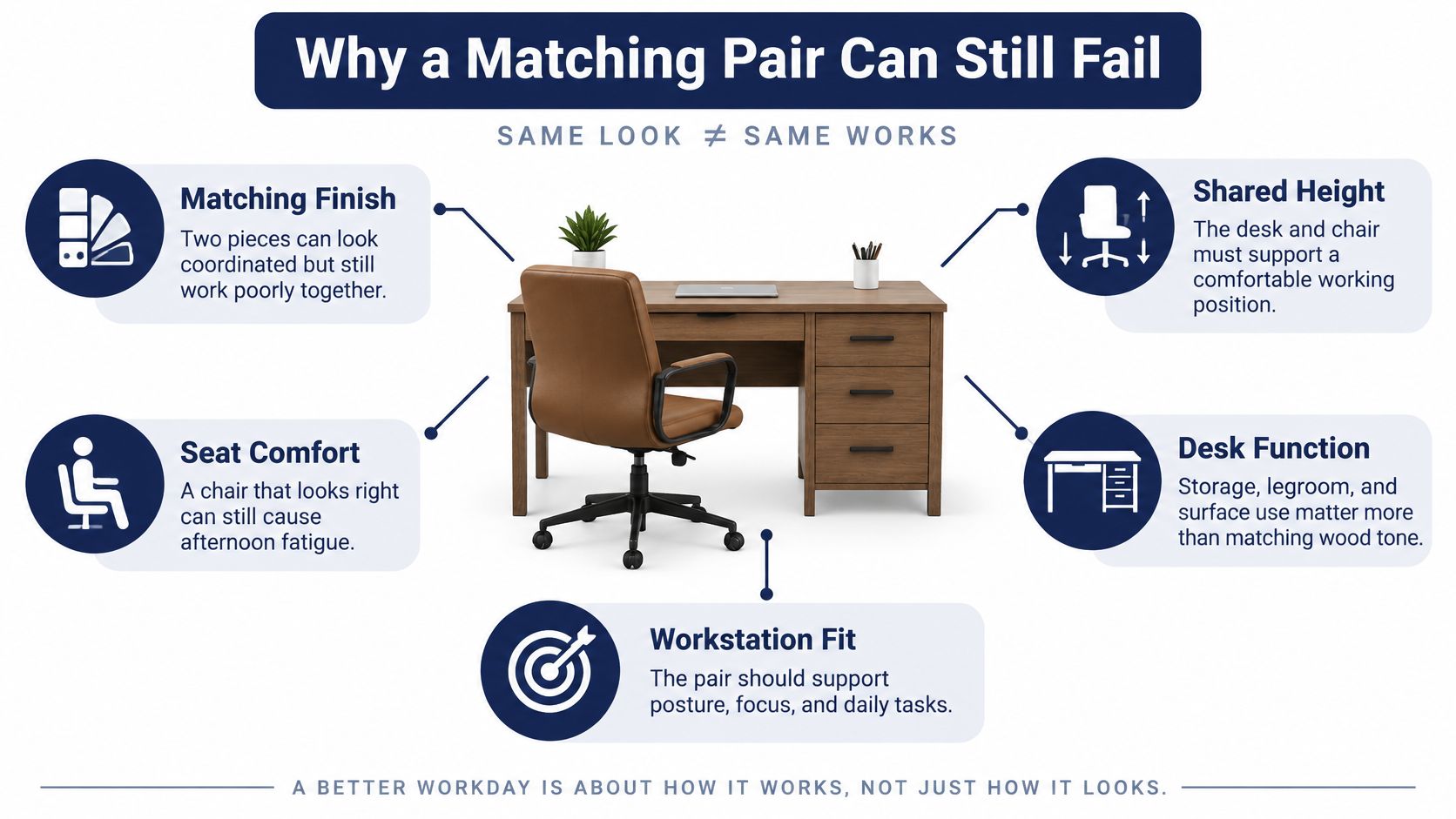
Before you settle on a set, ask: Can your feet rest flat or on a footrest, do your elbows sit near keyboard height, do your thighs clear the desk, and can you view the screen without leaning forward? The measurements below help answer those questions before color or storage makes the decision for you.
Height and Seat Numbers to Check First
| Check | Useful range | Pass test |
|---|---|---|
| Seated keyboard or desk surface | About 22 to 30 inches | Elbows near 90 degrees, shoulders relaxed |
| Chair seat height | About 15 to 22 inches | Feet flat on the floor or a footrest |
| Seat-pan length | About 15 to 17 inches | Most of the thigh supported, space behind the knees |
| Seat-pan width | At least about 18 inches | Hips not pinched by the sides |
| Seat-pan tilt | About 5 degrees forward and back | Upright sitting without sliding |
| Backrest height | Enough to support the lower back | Lower back stays against the backrest without forcing shoulders forward |
These are screening ranges, not a guarantee that a chair will feel right. OSHA's workstation purchasing guide recommends an adjustable seated keyboard range of about 22–30 inches and chair seat-height adjustment of about 15–22 inches. The aim is to bring the keyboard near elbow height while keeping the forearms close to horizontal and the shoulders relaxed. For chair dimensions, OSHA's chair guidance lists a 15–17-inch seat-pan length, a minimum width of about 18 inches, and a tilt range of approximately 5 degrees forward and backward.
Use the ranges as a fit test
A seat that's too deep can press behind the knees or make it difficult to use the backrest. One that's too short may not support enough of the thigh. The pass test is practical: sit back, check that the lower back reaches the backrest, and make sure the seat edge doesn't press into the area behind your knees.
A short user may need to raise the chair to bring the arms to the work surface, then use a footrest to support the feet. A tall user may find the chair won't rise enough or that their thighs hit the desk underside. If the desk itself can't move, a keyboard tray may change the working height without requiring a replacement desk.
For a household with different-sized users, consider an adjustable chair paired with an adjustable desk or keyboard tray. A fixed-height desk and fixed-height chair may suit one person, but they're less adaptable when someone else needs a different seat and keyboard position. If you're also furnishing a dining area, this guide to choosing a comfortable dining setup for your home offers a useful comparison of how table and seat heights work together.
A mixed pair with useful adjustments can fit better than a matching set that can't move. Check every user who'll share the workstation before you decide that a combo is a fit.
Clearance Checks and the Setup Sequence
A chair can be set to the right height and still fail if the desk keeps you from sitting close enough to the keyboard. A drawer, panel, or crossbar in the wrong place may force your knees forward, while bulky armrests can stop the chair from tucking under the surface.
| Clearance check | Target | Why it matters |
|---|---|---|
| Monitor distance from eyes | At least about 20 inches | Keeps the screen from pulling the neck forward |
| Under-desk width | About 20 inches | Room for the legs to move |
| Knee depth | About 17 inches | Knees clear the apron or center panel |
| Foot depth | About 24 inches | Feet are not blocked |
| Seat edge to back of knee | About 2 to 3 inches | Lumbar area stays against the backrest |
OSHA's desk guidance recommends placing the monitor at least 20 inches from the eyes and gives under-desk clearance targets of about 20 inches in width, 17 inches in knee depth, and 24 inches in foot depth. It also advises leaving roughly 2–3 inches between the seat edge and the back of the knees. These checks help you judge the complete setup, not just whether the chair slides beneath the desk.
Compare the space you'll actually use
Two desks with a similar overall width can feel very different at the keyboard. A shallow writing desk may leave too little room to place a monitor at a comfortable distance while keeping the keyboard where you can reach it. A deeper surface may give you more placement options, but only if the desk leaves your knees and feet clear.
Check the center of the desk, not just the outer edges. A pedestal beneath your sitting position, a deep apron, or a low crossbar can make the leg area unusable. If you use a laptop with a separate keyboard, or an external monitor, include both in your mental layout. Armrests should also let you move close enough to the desk without lifting your shoulders.
Set up in a practical order
- Place the desk so the monitor can sit at least about 20 inches from your eyes, following the OSHA desk guidance.
- Adjust the chair so your feet are supported and your thighs sit comfortably.
- Check for about 2–3 inches between the seat edge and the back of your knees.
- Slide toward the desk. Confirm that your thighs, knees, and feet clear the underside.
- Adjust the work surface or add a keyboard tray until the keyboard sits comfortably near elbow height.
- Position the screen so you don't have to tip your neck down to see it. A riser can help when the desk is fixed.
- Lower or tuck the armrests if they block the desk or push your shoulders upward.
- Work for a short period, then change the one adjustment that still feels wrong.
You may not need to replace both pieces. A tray, a different chair, or removal of a center panel could address a single failed check. If discomfort persists despite reasonable fit adjustments, consider whether your work routine also needs to change.
A chair upgrade isn't the only way to address an uncomfortable setup. In a small 2025 study of 12 participants, a combination of standing and floor-seated work alongside chair work reduced changes in musculoskeletal discomfort without reducing typing performance. The small sample means the result shouldn't be treated as a universal outcome, but it points to the value of varying how you work. The study report also describes a 2025 office-worker study that found a mean ROSA score of 5.40 out of 10 and recommended practical additions such as monitor stands, input-device trays, document holders, and training.
When the Chair Is Not the Whole Fix
If a new chair doesn't resolve neck, shoulder, or back discomfort, don't assume that a more expensive chair will automatically solve it. The screen may sit too low, the keyboard may be too far away, the armrests may block your approach, or your workday may involve staying in one position for too long.
Use a simple fix order before replacing furniture:
- Adjust the chair and monitor. Sit back in the chair, set the seat to support your feet, and position the screen so you can view it without leaning forward.
- Add a small accessory if needed. A monitor riser can lift a screen, while a keyboard or mouse tray can change where your arms meet the work surface.
- Change the desk or chair only if a fit problem remains. A desk that blocks your knees or a chair that can't be adjusted to support you may need replacing. If the basic alignment works, a full set may not be necessary.
A seated-only combo prioritizes one settled work position. A sit-stand arrangement gives you another working position to use, but it still needs a suitable keyboard and screen setup. Either way, brief movement breaks and changes in position can complement furniture adjustments; a chair is not designed to make you stay still all day.
Furniture fit isn't medical care. If pain is persistent, worsening, or affecting daily activities, consult a qualified clinician rather than relying on a new chair, posture advice, or an accessory to diagnose or treat it.
Combos for Work Kids and Tight Rooms
Match the combo to the room and the person using it, rather than trying to find one configuration for every job.
| Use | Desk priority | Chair priority | Common miss |
|---|---|---|---|
| Full-day remote work | Stable top, enough depth, adjustable height or a keyboard tray | Independent seat height, depth, and back support | A fixed pair sized for one person only |
| Shared home office | One height both the shortest and tallest user can use, or an adjustable top | Wide seat-height range and a footrest option | Matching pieces that cannot move |
| Kids homework | Reachable height and simple storage | Feet supported; seat not too deep | Adult seat pan and a desk that is too high |
| Dorm or small bedroom | Compact width and depth that still clears the door | Narrow base; arms that tuck or are absent | A wide chair that blocks the bed path |
| Short or occasional use | Any stable writing height | Basic height adjustment is enough | Overbuying a complex chair for brief sessions |
For full-day work, prioritize a stable surface with room for the equipment you use and a chair that can adjust independently. A sit-stand desk may suit someone who wants to alternate positions, but it isn't a requirement for a functional seated workstation.
For children, an adult chair with a long seat pan may leave a smaller user perched forward. Check whether the child can sit against the backrest with their feet supported, and choose storage they can reach without climbing or stretching. In a dorm or small bedroom, measure the door swing and the route past the bed. A narrower armless chair can be more practical than wide arms that catch on a drawer or block a walkway.
Occasional guest use can tolerate fewer adjustments than a shared workstation used regularly. A combo may also be the wrong category for a specialized need: gaming and drafting setups, medical seating needs, and classroom rows may call for furniture designed for those tasks. Choose the table row that describes how the room will be used, then check whether the proposed pieces meet those priorities.
Materials Storage and What Actually Lasts
A sturdy-looking desk isn't automatically a better choice for your room, and a particular material doesn't guarantee that a piece will last. Solid wood and thicker veneers can show or absorb dings differently from laminate and metal, but the joints, glides, finish, and moving parts also matter. For a chair, look for documented ratings for the base and gas lift; for a desk, check whether the maker states a desktop load limit.
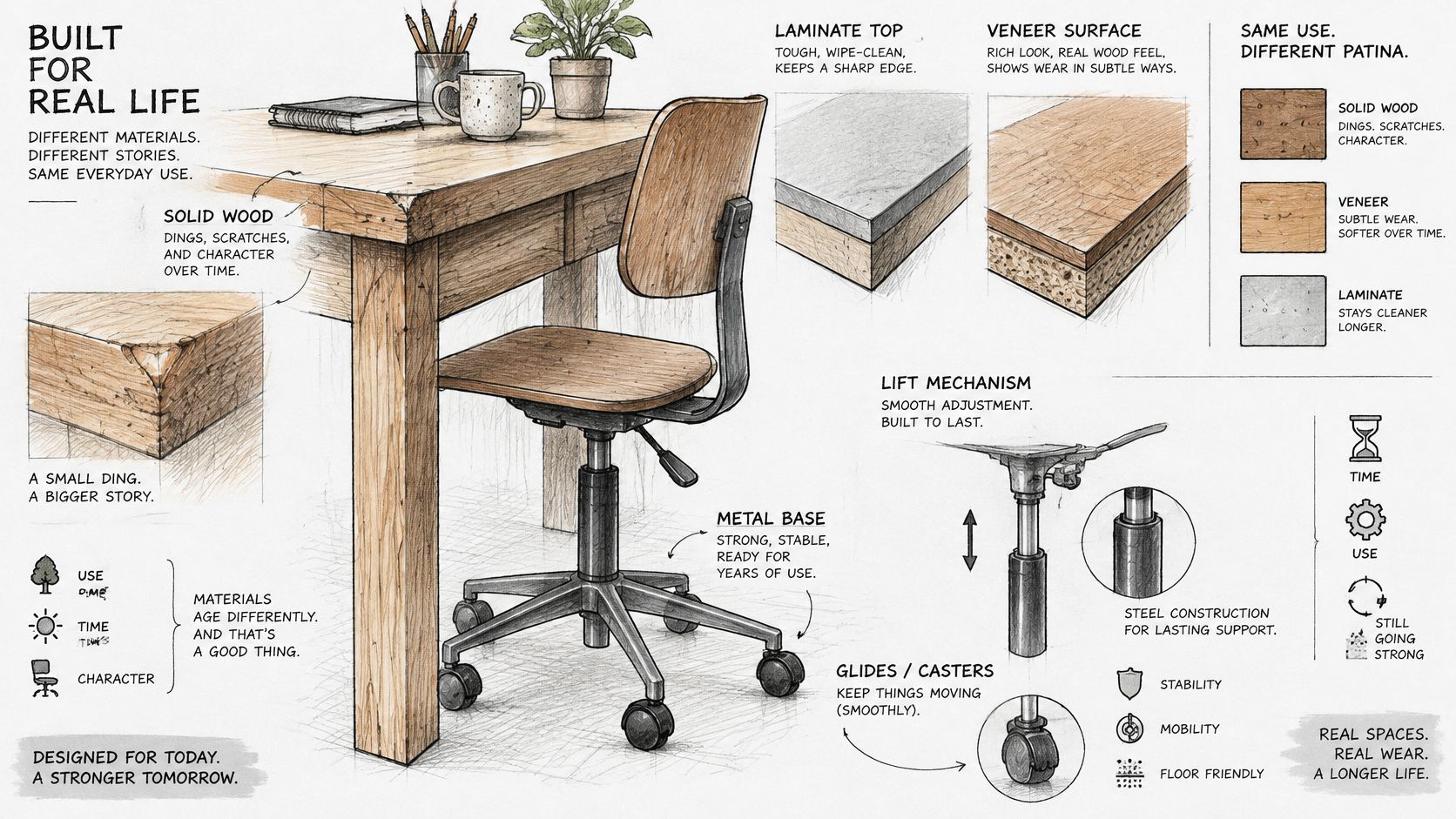
Consider what will sit on the work surface. A laptop requires a different layout from a large monitor on an arm, and craft work may expose the finish to tools that ordinary computer use won't. Read the product specifications for materials and care, and check the warranty for which parts are covered. A longer warranty term alone doesn't tell you whether a chair will be comfortable for your body.
Treat storage as part of the floor plan
Pedestals and hutches can organize paper and supplies, but a pedestal beneath your knees is a clearance problem, not a storage benefit. A return or attached bookcase may reduce the need for a separate piece in a small room, provided it doesn't take away the space you need to sit and move.
Think about the location of the storage, not only how much it holds. Drawers can be useful beside the sitting area; a drawer directly under the keyboard may force your legs forward. A hutch can use vertical space but should leave room for the monitor and its cables. Check that drawers open without hitting the chair or blocking the path through the room.
Set priorities before choosing a finish
If you're working within a budget, prioritize a chair that adjusts to the user, then a work surface that fits that chair, followed by storage and appearance. A simpler set may suit occasional use in a dorm, while a heavier daily desk may make more sense for someone who works at it most weekdays. Neither choice is automatically right; the useful question is whether the furniture suits the routine and the room.
Finish is still part of the decision. A wood tone, metal leg, or fabric seat can coordinate the pieces, but those choices can't make up for a desk that blocks your legs or a chair that doesn't adjust. If you want to inspect possible desk-and-chair combinations, Woodstock Furniture & Mattress Outlet carries desks and desk chairs in its home-office catalog.
The embedded video offers another visual way to consider how construction and materials affect furniture choices.
Test the Pair in the Showroom
Turn your measurements into a practical store visit. Bring the height of everyone who'll use the workstation, note whether the desk will be shared, and measure the room's width, depth, and door clearance. If you can, bring the dimensions of your monitor, keyboard, and any equipment that will take up desk space.
Sit in the chair and try the desk together. Check that your feet are supported, your elbows reach the keyboard comfortably, and your thighs fit beneath the top. Slide in as you would at home, and confirm that the armrests, desk apron, drawers, and center panels don't push you away from the work surface. If a coordinated set fails one check, ask whether you can pair the chair with a different desk, or the desk with a simpler chair.
Ask staff which options are available to see, and confirm delivery and assembly details before relying on them. A heavy top, hutch, or chair gas lift can make setup more complicated if you're assembling the pieces alone. You can also visit woodstockoutlet.com to review the current range before you make the trip.
A combo is ready for your home when it passes the seated fit checks for everyone who'll use it and its footprint works in the room. If you need a specialized task chair that isn't available there, it's reasonable to look elsewhere for one that meets that need.
Woodstock Furniture & Mattress Outlet offers desks and desk chairs through its home-office catalog, giving you options to consider as you plan a fitted workstation. Visit Woodstock Furniture & Mattress Outlet to compare desk-and-chair combinations and put your fit questions to the test in person.